
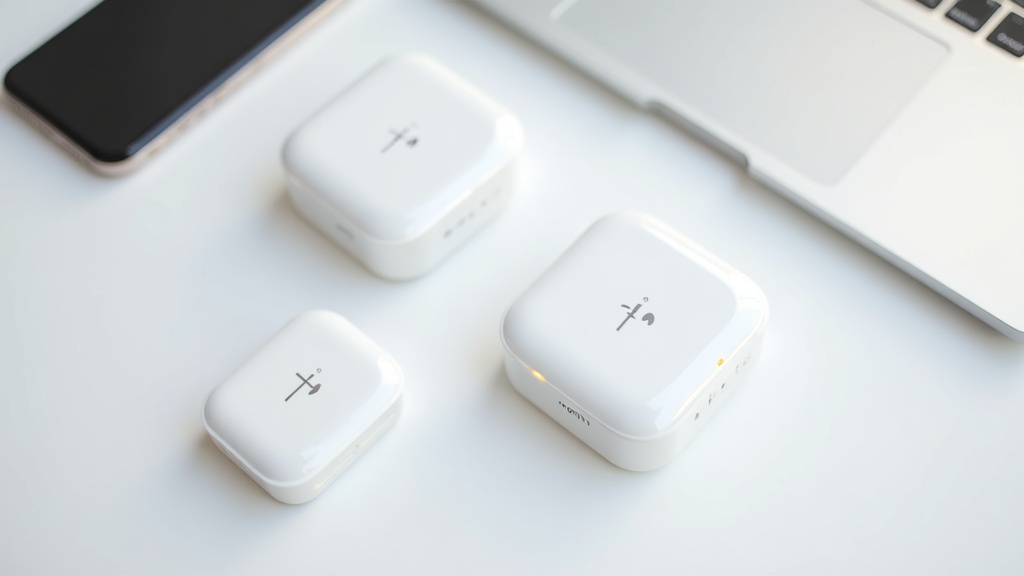
[Bottom Line] Top 10 Recommended Pocket WiFi Services for 2026
Choosing a pocket WiFi plan can feel overwhelming — with so many variables to compare (pricing, speed, coverage, and promotional offers), it’s easy to get lost in the details. Our editorial team reviewed publicly available information as of March 2026 and built our own evaluation framework based on real-world use cases.
How We Ranked These Services
Have you ever signed up for the cheapest plan available, only to find it nearly unusable in busy urban areas? Chasing the lowest monthly rate often comes back to bite you — through limited coverage, strict speed caps, or hidden fees that add up over time.
Our editorial team evaluated each service across five key dimensions:
- Effective monthly cost (total 2-year payment including cashback and discounts)
- Maximum download speed (theoretical; real-world speeds vary by environment)
- 5G SA (Standalone) support
- Flexibility of extended coverage options such as Plus Area Mode
- Ease of signup and customer support quality (including same-day activation)
A note on speed ratings: All speed figures are theoretical maximums under ideal conditions. A spec like “4.2 Gbps download” represents the upper limit in an uncongested, optimal environment — actual speeds will vary significantly based on time of day, location, and device.
Top 10 Overview: Overall Rating, Monthly Cost & Network
The comparison table below covers the five major services our team was able to verify. For the remaining five, pricing and promotional details change frequently — please check each provider’s official website for the most up-to-date information.
| Service | Max Download Speed | Estimated Monthly Cost | Key Features | Things to Know |
|---|---|---|---|---|
| 🥇 GMO Tokutoku BB WiMAX +5G | 4.2 Gbps | ¥1,375 first month / ¥4,807 from month 2 | ¥33,800 cashback via kakaku.com (March 2026); high-speed connection | Cashback requires application and conditions. Plus Area Mode adds ¥1,100/mo |
| 🥈 Kashimo WiMAX | 4.2 Gbps | ¥1,408 first month / ¥4,818 from month 2 (effective rate: ¥3,454/mo) | First month and activation fee free; ¥28,000 Amazon gift card | Speed throttling applies after 30 GB in Plus Area Mode |
| 🥉 UQ WiMAX (WiMAX+5G) | 2.7 Gbps | ¥4,598 (with first-year discount); device ¥5,940 | 5G SA support; same network quality as au; established brand reliability | Lower theoretical speed than competitors, but rated highly for stability |
| #4 Broad WiMAX | 3 Gbps+ | From ¥880 (varies by plan and discount conditions) | Device effectively free (retail value ¥35,640 incl. tax) with Start Discount | Device discount requires 36-month commitment. See official site for details |
| #5 BIC WiMAX SERVICE | 3 Gbps+ | ¥4,950/mo (¥4,268 for first 13 months); device ¥27,720 | Same-day signup available at Bic Camera stores nationwide | Device cost billed separately. See official site for model details |
About #6–#10: Services like Rakuten Mobile (Rakuten Strongest Plan), 5G CONNECT, and SoftBank Air are all strong contenders for the lower half of this list. However, their pricing and promotional terms change frequently — check each provider’s official website for the latest details.
Quick Recommendation Guide by Use Case
Not sure which one is right for you? The fastest way to decide is to start with how you plan to use it.
| If you want to… | Best Pick | Why |
|---|---|---|
| Minimize ongoing monthly costs | GMO Tokutoku BB WiMAX | Large cashback lowers your effective monthly rate |
| Start with zero upfront costs | Kashimo WiMAX | No activation fee, first month free |
| Prioritize stability and support | UQ WiMAX | 5G SA support + au-grade network quality |
| Keep device costs low for long-term use | Broad WiMAX | Device effectively free with Start Discount |
| Get connected the same day, in store | BIC WiMAX SERVICE | Same-day signup at Bic Camera locations nationwide |
Keep in mind that all five WiMAX-based services run on KDDI’s au network (5G/4G LTE) and share the same base station infrastructure. Differences in theoretical speed between providers come down to contracted bandwidth and carrier aggregation settings (how multiple frequency bands are bundled). In other words, different service names, same underlying signal — a key factor to consider when evaluating coverage.
How to Choose a Pocket WiFi: 5 Things to Check Before You Sign Up
Buyer’s remorse is surprisingly common with pocket WiFi. People jump at a low monthly rate, only to discover steep cancellation fees or spotty coverage after signing. Here are five key factors to compare so you don’t end up in that situation.
Finding the Right Balance Between Monthly Cost and Data
Monthly pricing can be misleading. Most services advertise their introductory or first-year discounted rates front and center — what you’ll actually pay once those discounts expire is the real ongoing cost. UQ WiMAX, for example, is ¥4,598/month with the first-year discount, but you’ll need to check their official site for the post-discount rate.
As of 2026, “effectively unlimited” data is the industry standard. But “unlimited” isn’t always what it seems. One commonly overlooked detail: many services throttle speeds once you exceed 30 GB per month in Plus Area Mode (the extended LTE coverage option that supplements 5G SA).
Monthly Cost Comparison at a Glance (as of March 2026, tax included)
| Service | Standard Monthly Rate | Promotions & Discounts |
|---|---|---|
| UQ WiMAX | From ¥4,598 (with discount) | Device ¥5,940 (after discount) |
| GMO Tokutoku BB WiMAX | ¥4,807 (from month 2) | Up to ¥33,800 cashback (via kakaku.com) |
| Kashimo WiMAX | ¥4,818 (from month 2) | Effective ¥3,454/mo + ¥28,000 gift card |
| BIC WiMAX | ¥4,268 (through month 13) → ¥4,950+ | Same-day in-store signup |
※ Pricing and promotions are subject to change. Always verify current details on each provider’s official website.
Cashback offers look attractive on paper, but missing the claim window (application deadlines, bank account registration cutoffs, etc.) means losing the payout entirely. For an accurate comparison, calculate the effective monthly rate by subtracting the cashback divided by contract length from the monthly fee.
How to Check Coverage and Real-World Speeds
The “maximum speeds” listed in spec sheets are theoretical peaks under ideal conditions. GMO Tokutoku BB and Kashimo WiMAX advertise up to 4.2 Gbps download — well above UQ WiMAX’s 2.7 Gbps — but actual speeds depend heavily on signal environment, network congestion, and device capability. Treat all speed figures as ceiling values, not typical performance.
- Enter your home, workplace, and frequently visited locations into each provider’s coverage map tool before signing up
- Understand the difference between 5G SA zones and WiMAX 2+ zones (speeds drop significantly outside 5G SA coverage)
- Decide whether you need Plus Area Mode (4G LTE band extension) for your typical usage areas
- Look up real-user speed test reports on social media and provider speed measurement apps
Plus Area Mode typically costs around ¥1,100/month extra on most services. If you regularly use your device in rural areas or regions without 5G coverage, factor this additional cost into your budget estimate.
Contract Length and Cancellation Fee Traps
Contract terms are where most people end up regretting their choice. Two- or three-year contracts can carry cancellation fees ranging from a few thousand to tens of thousands of yen if you cancel outside the renewal window — making it nearly impossible to simply walk away when you no longer need the service.
Always confirm these points before signing up
- Minimum contract length and your contract renewal window
- Early termination fee if you cancel before the contract ends
- How remaining device installment payments are handled upon cancellation
- What happens to your cashback if you cancel before receiving it
More services now offer “no-commitment” or “cancel anytime” plans, but these typically come with higher monthly rates. If you have a clear sense of how long you’ll use the service, a longer-term contract usually works out cheaper overall. For short-term or trial use, recalculate the true cost of a no-commitment plan before assuming it’s the better deal.
The Real Cost of Devices and Setup Fees
Many people focus solely on the monthly rate and get blindsided by upfront costs. The total cost of a pocket WiFi plan includes the monthly fee plus the device price, activation fee, and SIM issuance fee.
Check the device price
UQ WiMAX charges ¥5,940 after discount; BIC WiMAX is ¥27,720 (tax included) — a significant difference. Check each provider’s official site for installment payment options and the fine print on deals like Broad WiMAX’s “effectively free device” through the Start Discount.
Check the activation and setup fees
Kashimo WiMAX waives both the first month’s fee and the activation fee. Other providers may offer similar deals depending on the sales channel or active campaign — always review the full fee breakdown before completing your application.
Compare using the “2-year total cost” metric
Calculate: (monthly fee × 24) + device cost − cashback/gift cards. You may find that a plan with a higher monthly rate ends up cheaper over two years once promotions are factored in. Use each provider’s official cost simulator or a third-party comparison tool for accuracy.
If keeping upfront costs low is your priority, services like Kashimo WiMAX with their fee-waiver perks are the easiest entry point. If you’re optimizing for the lowest total cost over a long contract, GMO Tokutoku BB’s large cashback offers are worth serious consideration. That said, promotional terms can change at any time — always check the official site at the time you’re ready to sign up.

Pricing Comparison: 10 Major Services Side by Side
“I signed up because the monthly rate seemed cheap, but the total cost over two years was way higher than I expected.” This is a complaint you hear all the time. When comparing pocket WiFi pricing, the most overlooked factor is the true cost — which includes setup fees, device costs, cancellation fees, and cashback offers. Looking at monthly rates alone won’t show you the real difference.
To accurately calculate the true cost, use this formula: (Monthly rate × Contract length) + Device cost + Setup fees − Cashback. Let’s use this to compare each provider side by side.
Monthly Rate & 2-Year Total Cost Comparison
The table below is based on verified pricing as of March 2026. Rates and terms are subject to change — always check the latest information on each provider’s official website before signing up.
| Service | Monthly Rate (tax included) | Device Cost (tax included) | Main Campaign | Notes |
|---|---|---|---|---|
| UQ WiMAX | From ¥4,598 *With first-year discount |
¥5,940 *After discount |
— | Max download 2.7Gbps, 5G SA compatible |
| GMO Tokutoku BB WiMAX | ¥1,375 first month ¥4,807/month from month 2 |
— | ¥33,800 cashback *Via kakaku.com |
Max download 4.2Gbps, Plus Area Mode +¥1,100/month |
| Kashimo WiMAX | ¥1,408 first month ¥4,818/month from month 2 Effective monthly rate ¥3,454 (over 2 years) |
— | ¥28,000 Amazon Gift Card | Max download 4.2Gbps, first month & setup fee free |
| Broad WiMAX | From ¥880 *With Start Discount |
Device cost (equivalent to ¥35,640) effectively free with Start Discount |
Device effectively free | Max download 3Gbps+, unlimited flat plan |
| BIC WiMAX | First 13 months: ¥4,268 Month 14+: ¥4,950 |
¥27,720 | Same-day signup available at Bic Camera stores nationwide | Max download 3Gbps+, supports both mobile and home router |
How the Effective Monthly Rate Is Calculated (Kashimo WiMAX Example)
The effective monthly rate of ¥3,454 is calculated as: (¥1,408 for month 1 + ¥4,818 × 23 months for months 2–24 − ¥28,000 Amazon Gift Card) ÷ 24 months. Without factoring in cashback and perks, you can’t accurately compare the value each provider offers.
How to Read Campaigns & Cashback Offers — and What to Watch Out For
A large cashback figure is eye-catching, but if you miss the eligibility requirements, application window, or submission process, you could end up with nothing. In practice, a significant number of users reportedly forget to apply for their cashback — which means these perks often function as “benefits that go unclaimed,” which isn’t entirely unfavorable for providers.
Before signing up, make sure to check the following:
- Cashback application window (most have a deadline, such as “within X months of signing up”)
- How to apply (web form, mail, dedicated app — varies depending on where you signed up)
- Payout format (bank transfer, Amazon Gift Card, PayPay, etc.)
- Eligibility conditions (some offers are only valid when signing up through a specific partner site)
- Plus Area Mode monthly surcharge and data usage limits
For example, GMO Tokutoku BB’s ¥33,800 cashback requires you to sign up via kakaku.com — signing up directly through the official website won’t qualify. “Where you sign up” directly affects your total cost, and that’s one of the defining quirks of the pocket WiFi market.
Important: About Pricing & Campaign Information
All prices, cashback amounts, and campaign terms in this table were verified as of March 2026. Provider pricing structures can change without notice — always confirm the latest terms on each provider’s official website and the site you’re signing up through before committing.
The real point of comparing prices isn’t finding the lowest monthly rate — it’s finding the lowest total cost over the contract length that fits your usage habits. For short-term use, whether or not there’s a cancellation fee is the deciding factor. For long-term use of two years or more, the effective total including cashback is what matters. Use the “5 key selection criteria” covered in the previous section as your framework, and narrow down the best option for your situation.

Speed & Coverage: How the Networks Actually Stack Up
A great price means nothing if the connection isn’t usable. One of the most overlooked aspects of choosing a pocket WiFi is the gap between spec sheet numbers and real-world performance. This section breaks down speed characteristics and coverage strengths by network type.
5G-Compatible Services: Speeds and Real-World Performance
The “maximum speeds” advertised by providers are theoretical upper limits. Actual speeds vary based on many factors — distance from the antenna, how many users are nearby, and building construction, among others. With that in mind, here’s how the specs compare.
| Service | Max Download Speed (theoretical) | Max Upload Speed (theoretical) | Notes |
|---|---|---|---|
| GMO Tokutoku BB WiMAX +5G | 4.2Gbps | — | 5G compatible |
| Kashimo WiMAX | 4.2Gbps | 286Mbps | 5G compatible |
| Broad WiMAX | 3Gbps+ | — | 5G compatible |
| BIC WiMAX SERVICE | 3Gbps+ | — | 5G compatible |
| UQ WiMAX | 2.7Gbps | 183Mbps | 5G SA compatible |
Worth highlighting is UQ WiMAX’s adoption of “5G SA (Standalone).” While most services use an NSA (Non-Standalone) architecture — which layers 5G radio on top of an existing 4G LTE core network — SA runs on a dedicated 5G core. The theoretical speeds may look lower than GMO or Kashimo, but SA is generally considered to have an edge in low latency and connection stability.
Key Takeaway: In practice, the difference between 4.2Gbps and 2.7Gbps is essentially imperceptible. Even 4K video streaming runs smoothly at around 100Mbps, so in everyday use, the real bottlenecks aren’t speed — they’re stability and coverage.
WiMAX vs. Carrier Networks: Differences and Best Use Cases
WiMAX and carrier networks (Docomo, SoftBank, Rakuten) operate on fundamentally different frequency bands. That difference is what determines which works best for which situations.
WiMAX +5G runs on dedicated infrastructure built by KDDI and UQ Communications, optimized for high-volume, high-speed data using Band 41 (2.5GHz) and millimeter-wave bands. Carrier-based pocket WiFi services, on the other hand, can also leverage what’s known as platinum band frequencies in the 700–900MHz range.
What Is Platinum Band?
Lower frequencies travel farther and bend around obstacles more easily (a property called diffraction). The 700–900MHz range is called “platinum band” for this reason — it offers stronger reception indoors and underground. WiMAX’s primary 2.5GHz band handles more data but is weaker at penetrating obstacles.
WiMAX +5G plans offer a “Plus Area Mode” that lets you tap into Docomo’s network when needed, but it comes with an extra monthly charge (¥1,100/month with GMO Tokutoku BB) and a data cap. In other words, WiMAX is always a tradeoff between everyday speed and the cost of coverage extension.
- WiMAX is a good fit if: You mainly use it in urban or residential areas and need high-volume data for streaming or remote work
- Carrier networks are a better fit if: You travel to rural areas frequently, often use your device indoors or underground, or prioritize connection stability above all else
Rural Areas, Mountains, and Subways: Coverage Comparison
Coverage gaps are most noticeable when you leave urban areas. In mountain regions and rural towns, the number of base stations drops significantly, and the frequency band’s characteristics have a direct impact on connection quality.
According to coverage maps published by Japan’s Ministry of Internal Affairs and Communications, Docomo and SoftBank maintain high 4G coverage rates in rural areas thanks to years of infrastructure investment. WiMAX +5G coverage, by contrast, is concentrated in urban and suburban areas — in mountainous or sparsely populated regions, there are many places where the signal simply doesn’t reach.
For subway coverage, the situation varies by line. Major lines in large cities are generally accessible via WiMAX +5G, but coverage in regional subways and underground shopping areas can be spotty. Before committing, we strongly recommend checking each provider’s official coverage map for your specific area.
Always Verify: Check coverage maps on each provider’s official website. The phrase “nationwide coverage” in marketing materials typically encompasses 5G, 4G, and 3G combined — actual 5G availability is often much more limited. If you plan to use the service in rural or mountainous areas, factor in Plus Area Mode and its added cost when calculating your total.
Understanding How Pocket WiFi Actually Works
In the previous section, we compared speed specs and coverage by network type. But have you ever wondered: “Why is WiMAX less prone to congestion than Docomo?” or “How can Cloud SIM devices work overseas without swapping a SIM card?” Understanding the technology behind these services will sharpen your ability to choose the right one for your needs.
5G SA vs. NSA: What It Means for Mobile Routers
There are two 5G architectures. NSA (Non-Standalone) adds 5G radio to an existing 4G LTE core network — it’s cheaper to deploy and was widely adopted early on. SA (Standalone) builds an entirely independent 5G core network from the ground up.
SA vs. NSA in Plain Terms
- NSA: 5G antenna + 4G core. Faster speeds, but latency stays at LTE levels (~20–40ms)
- SA: 5G antenna + 5G core. Aims for sub-1ms theoretical latency — “true 5G.” Also supports network slicing
This matters a lot for mobile routers. With 5G SA — which UQ WiMAX is actively rolling out — the core network is optimized for 5G as well, which is said to improve connection stability during congestion. UQ WiMAX’s current plans specifically highlight 5G SA compatibility, and their advertised max download speed of 2.7Gbps is the theoretical figure under SA conditions. That said, real-world speeds depend on signal environment, so official figures should always be treated as reference values.
WiMAX +5G’s “Plus Area Mode” and TLC Cache: How They Work
WiMAX +5G normally runs on KDDI’s proprietary network (WiMAX 2+ / 5G), but in areas where that network doesn’t reach — mountain regions, rural towns — you can lose your connection. That’s why Plus Area Mode exists: it temporarily borrows au’s LTE Band 18 (a platinum band frequency) to keep you connected.
What to Know Before Using Plus Area Mode
- GMO Tokutoku BB WiMAX charges an additional ¥1,100/month for Plus Area Mode
- Kashimo WiMAX applies a 30GB monthly data cap when Plus Area Mode is active
- Speeds in Plus Area Mode may be capped at LTE levels (around 150Mbps max)
- Always check the latest terms and pricing conditions on each provider’s official website
Many WiMAX +5G devices also include a TLC (Triple-Level Cell) NAND flash buffer cache. This temporarily stores bursts of high-volume data, helping to prevent packet loss in situations where the device can’t fully process 4.2Gbps-class speeds in real time. This caching mechanism also contributes to more stable connections during remote work and video calls, where low latency matters.
Cloud SIM Architecture: How It Works, Pros and Cons
Traditional mobile routers use a physical SIM card inserted into the device. Cloud SIM services store SIM credentials on a cloud server and dynamically assign the optimal carrier profile at the time of connection — all in software.
| Feature | Physical SIM | Cloud SIM |
|---|---|---|
| Contract structure | Locked to a specific carrier | Dynamically switches between multiple carriers |
| International use | Requires SIM swap | Automatically connects to local carriers |
| Connection stability | Predictable with a fixed carrier | Brief dropouts possible during carrier switching |
| Security | Easier to manage physically | Depends on the cloud provider’s architecture |
The biggest advantage of Cloud SIM is wider coverage through multi-carrier support. Domestically, combining Docomo, au, and SoftBank networks can fill in weak spots that any single carrier would leave uncovered. On the downside, the cloud-based authentication step can introduce slightly higher connection latency compared to physical SIM setups. There’s also the risk that a server outage on the provider’s end could affect your entire connection.
How to Choose: If you primarily use your device in Japan and prioritize stable, consistent performance, a physical SIM setup (WiMAX +5G) is the stronger choice. If you travel internationally or use your device across many different regions, Cloud SIM is worth considering. That said, Cloud SIM quality and pricing vary widely by provider — always confirm which carriers are supported and what speed restrictions apply before signing up.

Best Pocket WiFi by Use Case & Scenario
Ever felt overwhelmed trying to figure out which plan is right for you? Comparing specs side by side doesn’t mean much if the service doesn’t match how you actually use it. Since your data plan is a recurring monthly expense, choosing a service that fits your lifestyle is what really matters.
Here’s a breakdown of four common use cases, with the best-fit services for each.
Best for Remote Work & Heavy Home Use
For remote workers and heavy video streamers who primarily use WiFi at home, connection stability and cost-effectiveness are the top priorities. Pocket WiFi is also a strong option for renters who can’t get a fixed-line connection installed, or anyone who wants internet access without installation work.
Key factors for this scenario
- Unlimited data plan (or effectively unlimited)
- Consistent download speeds (look at real-world reviews, not just theoretical maximums)
- Long-term monthly cost
Broad WiMAX stands out with its Giga Unlimited Flat plan starting from ¥880/month, and the device (normally ¥35,640 including tax) is effectively free through their introductory discount. If you’re planning long-term use, this structure significantly reduces upfront costs. With maximum speeds exceeding 3 Gbps, it has the bandwidth to handle 4K video streaming and simultaneous video calls.
That said, WiMAX connections in general may require switching to Plus Area Mode (typically an extra ¥1,100/month across most providers) in areas outside 5G/LTE coverage. We strongly recommend checking each provider’s official coverage map before signing up to verify your home area is covered.
UQ WiMAX +5Gの最新プランや実質月額料金が気になる方は、公式サイトで詳細を確認してみてください。キャンペーン内容は時期によって変わるため、現在の特典もあわせてチェックしておくといいでしょう。
Best for Business Professionals on the Go
For business professionals who rely on their laptop or tablet during commutes and business trips, reliable connectivity matters more than peak speeds. The last thing you want is losing your signal right before an important meeting.
Key factors for this scenario
- Nationwide coverage and 5G SA availability
- Cashback offers and how quickly you can recoup upfront costs
- Stability when connecting multiple devices simultaneously
GMO Tokutoku BB WiMAX +5G is currently running a ¥33,800 cashback campaign through price.com (as of March 2026). It supports the theoretical maximum of WiMAX+5G at up to 4.2 Gbps download, with fast speeds expected during off-peak hours. The low entry cost of ¥1,375 for the first month also appeals to cost-conscious frequent travelers.
UQ WiMAX tops out at 2.7 Gbps download — lower than GMO on paper — but it officially supports 5G SA (Standalone), which means lower latency. If your work involves remote desktop access or real-time communication where latency is a concern, prioritizing SA support makes sense. The Speed Wi-Fi DOCK 5G 01 device is available for ¥5,940 after discounts.
One common downside across WiMAX providers: Plus Area Mode adds ¥1,100/month, and speeds are throttled once you exceed 30 GB in that mode. If you frequently travel to rural or mountainous areas, this could become a real bottleneck.
Broad WiMAXの最新プランや料金の詳細が気になる方は、公式サイトで実際のエリアカバレッジや月額費用を確認してみてください。キャンペーン内容は時期によって変わるため、最新情報をチェックしておくといいでしょう。
Short-Term Travel? Rental Is Worth Considering
If you only need WiFi a few times a year or specifically for overseas travel, short-term rental services can actually be cheaper overall than locking into a 2-year contract.
When to rent vs. when to subscribe
Generally speaking, if you use mobile WiFi fewer than 30–60 days per year, rental tends to be the better deal. Monthly plans typically require a minimum commitment (usually 2 years), and early termination fees apply in most cases. With rental, you only pay for what you use — and you don’t have to worry about maintaining the device.
Rental service pricing and availability vary by season, so check each provider’s official site for current rates.
One standout option is BIC WiMAX SERVICE, which allows same-day sign-up at any Bic Camera retail location nationwide. If you suddenly need WiFi the day before a trip, being able to pick up a device in-store is genuinely convenient. The device costs ¥27,720 (tax included), with a monthly fee of ¥4,950 (¥4,268 for the first 13 months). Check the official site for available device options.
Best for Students & Light Data Users
For light users whose data consumption is mostly social media and casual video watching, keeping the monthly bill as low as possible is the number one priority.
Key factors for this scenario
- Setup fees and whether activation fees apply
- Early termination fee risk for short-term use
- Cashback and gift card reward conditions
Kashimo WiMAX stands out for its low barrier to entry: the first month is free, and there’s no activation fee. Starting from month two, the plan runs ¥4,818/month — but with ¥28,000 in Amazon gift card rewards factored in, the effective monthly cost drops to around ¥3,454 over two years. The specs (up to 4.2 Gbps down / 286 Mbps up) may seem like overkill for light users, but if you’re using it as a shared router in a dorm or campus housing, the stability across multiple connected devices is a real benefit.
Keep in mind: if you use Plus Area Mode and exceed 30 GB, speeds will be throttled — so students who frequently travel to rural areas should take note. Also, cashback and gift card rewards often come with specific redemption steps and deadlines. Missing the fine print is a common reason people don’t receive their rewards. Read the terms carefully before signing up.
Kashimo WiMAXの料金プランや速度の詳細が気になる方は、公式サイトで最新の月額費用や対応エリアを確認してみてください。
Pocket WiFi vs. Home Broadband: How to Use Both Strategically
Have you ever felt like you’re paying twice — once for home fiber and again for a pocket WiFi when you’re out? On the flip side, plenty of people have tried cutting the cord entirely and gone back to a fixed line after dealing with unstable connections. The key is finding the right combination for your lifestyle and data habits.
Here’s a practical framework for deciding when to replace your home broadband, when to keep both, and how to minimize costs either way.
When You Can Drop Your Home Broadband Entirely
Consolidating everything onto pocket WiFi is viable if your living situation and usage patterns meet certain conditions. Use the checklist below to assess your situation.
Conditions that make going pocket-WiFi-only a good fit
- Monthly data usage under 50 GB (no extended 4K video streaming)
- Remote work is light tasks and video calls — no online gaming
- You rent and can’t get fiber installed, or you move frequently
- Five or fewer devices connected at the same time
- No need for a landline phone
The reason simultaneous device count matters is that pocket WiFi routers have more limited processing capacity than home broadband routers. When multiple devices are streaming large amounts of data at the same time, real-world speeds can drop significantly below the theoretical maximum — even if the spec sheet says 4.2 Gbps.
In low-device environments like a solo apartment or temporary work relocation, WiMAX+5G pocket WiFi can realistically replace a fixed line. Monthly costs of ¥4,500–5,000 for pocket WiFi versus ¥4,000–6,000 for fiber aren’t dramatically different. That said, if your existing broadband contract has early termination fees or outstanding equipment installment payments, timing your switch carefully is important.
How to Run Dual Connections Without Overspending
Keeping both a fixed line and pocket WiFi doesn’t have to mean paying full price for both. With a clear division of usage, the “dual connection strategy” can be a smart, cost-effective choice.
STEP 1
Reserve your fixed line for high-demand, stationary use
Route all 4K streaming, online gaming, and large file backups through your home broadband. Keeping the heavy lifting on the fixed line reduces your pocket WiFi’s monthly data consumption significantly.
STEP 2
Use pocket WiFi exclusively for mobile and travel
Cover café work sessions, video calls on the train, and light work at hotels with your pocket WiFi. If you keep usage under 30 GB/month, you’ll have an easier time staying on a budget-friendly plan.
STEP 3
Factor in cashback to calculate your real monthly cost
For example, GMO Tokutoku BB WiMAX is offering ¥33,800 cashback via price.com as of March 2026 — which meaningfully reduces your effective first-year cost. Kashimo WiMAX offers ¥28,000 in Amazon gift cards, bringing the effective monthly cost down to around ¥3,454 over two years. Always confirm cashback conditions and timelines on each provider’s official site.
| Setup | Best For | Estimated Monthly Cost |
|---|---|---|
| Pocket WiFi only | Solo renters, frequent movers, light data users | Around ¥4,500–5,000 |
| Fixed line + Pocket WiFi | Heavy home users who also travel frequently | Around ¥8,000–11,000 (combined) |
| Fixed line + smartphone tethering | Low mobile data needs, prefer fewer devices | Depends on broadband + smartphone plan |
The cost optimization factor most people overlook
When running dual connections, the timing of cancellations is often the most overlooked variable. Most WiMAX+5G contracts lock you in for 2–3 years, with early termination fees if you cancel outside the renewal window. When considering switching from or adding a fixed line, check both contracts’ renewal dates and aim to make changes during penalty-free periods. That single step can make a significant difference in your total cost. Always confirm the exact terms on each provider’s official site.
Common Questions & Pre-Contract Checklist
“When does throttling kick in?” “Does my speed drop when multiple devices are connected?” — Understanding how these things work before you sign up is the key to choosing a pocket WiFi that won’t let you down.
When Speed Throttling (Bandwidth Control) Actually Kicks In
Pocket WiFi speed restrictions generally fall into two categories: exceeding your monthly data cap, and heavy usage over the past 3 days. Even WiMAX+5G services that advertise “unlimited” data can apply short-term bandwidth throttling based on recent usage, so it’s worth keeping that in mind.
The key thing to understand is that carriers may temporarily reduce speeds for users who have consumed an unusually large amount of data in the past 72 hours — not as a punishment, but as a technical measure to protect the connection quality of other users on the network.
Situations Where Throttling Is Most Likely to Trigger
- Extended 4K video streaming (7–20 GB per hour)
- Cloud backups of large files
- Bulk downloads of online game updates
- Exceeding 30 GB on Plus Area Mode (au 4G LTE band)
Take Kashimo WiMAX as an example: standard WiMAX connections are unlimited, but Plus Area Mode (which uses the au 4G LTE band) triggers speed restrictions once you go over 30 GB in a month. This difference in throttling conditions depending on the mode is easy to overlook — make sure to check before signing up.
How the Number of Connected Devices Affects Your Speed
Even if the spec sheet says “up to 10 simultaneous connections,” your bandwidth gets divided among all active devices. This is an unavoidable physical limitation of sharing bandwidth across multiple devices.
In practice, 3–4 devices — a smartphone, tablet, and laptop — is unlikely to cause noticeable slowdowns for everyday tasks like web browsing or video calls. However, running 4K video, remote work, and online gaming simultaneously across multiple devices can lead to significant speed degradation.
Speed Expectations by Number of Connected Devices
| Devices Connected | Typical Use Case | Experience |
|---|---|---|
| 1–3 | Web browsing, social media, video calls | ◎ Very comfortable |
| 4–6 | Mixed use including video streaming | ○ Generally fine |
| 7+ | Multiple users doing bandwidth-heavy tasks simultaneously | △ Expect noticeable slowdowns |
Even with high-spec devices like GMO Tokutoku BB WiMAX or Kashimo WiMAX that boast theoretical max speeds of 4.2 Gbps downlink, real-world throughput varies significantly based on your location, signal conditions, and number of connected devices. Spec sheet numbers represent theoretical maximums — for a realistic picture, check actual speed test results on official sites and review platforms.
International Use and Roaming Support
WiMAX+5G is fundamentally designed as a domestic service. International availability varies by provider, so always check the official site before traveling abroad.
Generally speaking, using a local SIM card or renting a travel WiFi router at your destination tends to be more cost-effective and better-covered than trying to use a WiMAX device overseas. If you travel internationally on a regular basis, it’s worth considering pairing your plan with an international-roaming-capable budget SIM or eSIM service.
Practical Options for International Use
- Pick up a local SIM card at your destination
- Rent a travel WiFi router at the airport or online
- Use an eSIM on a compatible smartphone
- Temporarily switch to an international roaming plan like Rakuten Mobile
10-Point Pre-Contract Checklist
Most post-signup headaches stem from skipping the research phase. Go through all 10 items below before hitting that “Apply” button.
Pre-Contract Checklist
- □ Have you checked coverage at your home, workplace, and commute route using the official coverage map?
- □ Do you know when any promotional discounts expire and what the standard rate is afterward? (Check both the discounted and full prices.)
- □ Have you confirmed whether there’s a minimum contract term and what the early termination fee would be?
- □ Are you aware of the monthly add-on fee for Plus Area Mode? (Usually around ¥1,100/month extra.)
- □ Have you reviewed the cashback claim conditions, timing, and required steps? (Missing the claim window typically voids the reward.)
- □ Have you calculated the total cost including the device — whether purchased outright, on installments, or rented?
- □ Do you understand exactly when throttling kicks in — by time period, monthly usage, and mode?
- □ Does the maximum simultaneous device limit match how you actually plan to use it?
- □ Have you confirmed the device return policy at cancellation, including how remaining installment payments are handled?
- □ Does the customer support setup — phone, chat, and hours — fit your schedule and lifestyle?
Item #5 — the cashback — deserves special attention. Services like GMO Tokutoku BB WiMAX offer high-value cashback rewards of up to ¥33,800, but these come with specific claim windows and eligibility conditions. Missing the deadline means forfeiting the reward entirely, which effectively raises your total cost. We strongly recommend setting a calendar reminder immediately after signing up so you don’t forget to claim it.
Also, as discussed in the previous section on balancing pocket WiFi with a home internet plan, whether you’re using pocket WiFi as your only connection or as a supplement to a fixed-line service will change which plan features matter most to you. Clarify your use case first, then run through the checklist above — it’ll make it much easier to narrow down the right service.
Conclusion: Which Pocket WiFi Is Right for You?
We’ve covered specs, pricing, coverage, and common questions from every angle. Here’s a final summary by user type to help guide your decision.
Top 3 Picks by User Type (Recap)
There’s no single “best” pocket WiFi. The right choice depends on how you use it, your budget, and what matters most to you. Use the three profiles below to find the one that fits your situation.
Best Value: Kashimo WiMAX
At ¥1,408 for the first month, ¥4,818 from the second month onward, and an effective monthly average of ¥3,454 over two years, Kashimo WiMAX is one of the more competitively priced WiMAX+5G options available. With theoretical speeds up to 4.2 Gbps down and 286 Mbps up — plus a free first month, no setup fee, and ¥28,000 in Amazon gift cards — it’s a strong choice if you want to minimize upfront costs when switching. Just note that exceeding 30 GB per month on Plus Area Mode will trigger speed restrictions.
Best Cashback: GMO Tokutoku BB WiMAX
As of March 2026, a ¥33,800 cashback campaign is available through Price.com — a solid strategy for reducing your total cost over the contract period. Theoretical downlink speeds match Kashimo at 4.2 Gbps. That said, cashback conditions, timing, and eligible referral sources vary, so read the fine print carefully on the official site and any comparison platforms before applying. The base monthly rate is ¥4,807 (from month one onward).
Best In-Store Support: BIC WiMAX
The ability to sign up in person and activate the same day at any Bic Camera store is a real advantage if you’re not comfortable with online-only sign-ups or need your connection up and running immediately. Monthly pricing is ¥4,268 for the first 13 months, then ¥4,950. Note that the device costs an additional ¥27,720 (tax included) — factor that into your total cost calculation before committing.
Final Checklist Before You Apply
One of the most common pitfalls with pocket WiFi is signing up based on specs and price alone, only to run into unexpected issues later. Use the checklist below to protect yourself from post-signup regret.
-
Confirm signal coverage in the areas you’ll actually use it
Use each provider’s official coverage map to check whether your home, workplace, and regular destinations fall within 5G or 4G LTE coverage. WiMAX+5G allows you to add Plus Area Mode for an extra monthly fee using the SoftBank network, but since that raises your bill, first determine whether the standard mode will cover your needs.
-
Match the device limit to your actual usage
Count the devices you’ll actually connect at once — smartphone, laptop, tablet, smartwatch, etc. The more devices you have connected, the lower the effective speed per device. If you regularly transfer large files for remote work, look at real-world speed test results rather than relying on theoretical maximums.
-
Read the cashback and discount claim conditions carefully
Most cashback offers require you to submit a claim within a specific window, receive the payment to a designated bank account, and remain an active subscriber. Missing the deadline in many cases means the reward is forfeited. Set a calendar reminder at sign-up so you don’t lose track of it.
-
Understand the contract length and early cancellation fees
Whether there’s a 2- or 3-year commitment, and what it costs to cancel outside the renewal window, varies by provider. If your lifestyle might change — relocation, a new job, an overseas assignment — you may want to prioritize flexibility over the lowest monthly rate. Always check the current terms and conditions on the official site.
Easy-to-Miss Caveats
- Plus Area Mode requires a separate opt-in and incurs an additional monthly fee. Don’t confuse it with the standard mode.
- Theoretical speeds (e.g., 4.2 Gbps downlink) represent the technical maximum under ideal conditions. Real-world speeds vary significantly based on your environment, network congestion, and device capabilities.
- Plan pricing and campaign details are subject to change. All information in this article reflects conditions as of March 2026. Always verify the latest details directly on each provider’s official website.
Choosing a pocket WiFi isn’t about picking the highest specs — it’s about finding the service that fits how you actually use it. Once you’ve worked through the checklist above, head over to each provider’s official site to confirm the latest plans and get started.

Comments