
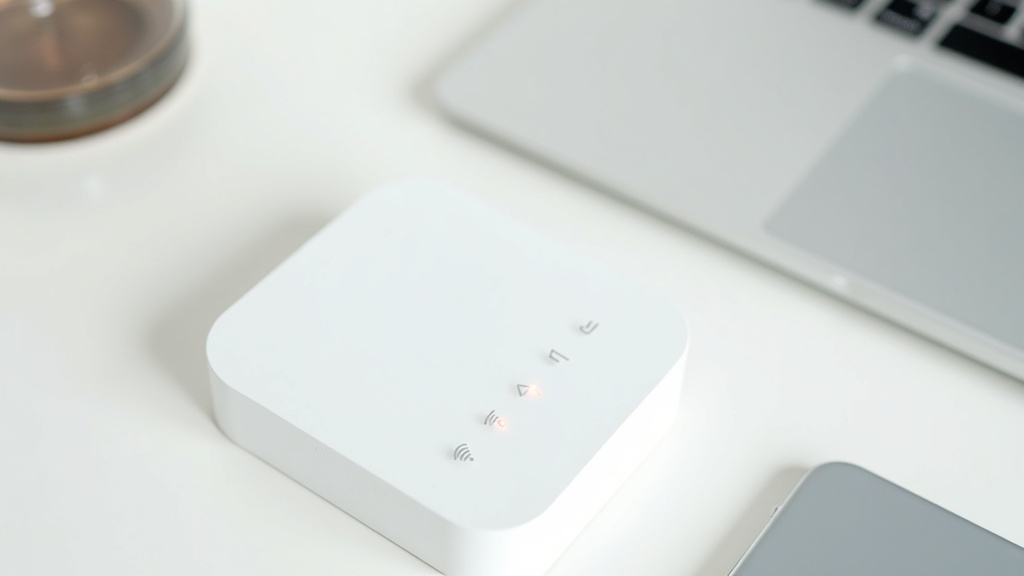
3 Key Factors for Choosing a Pocket WiFi Rental
“I went with the cheapest option and ran out of data.” “I ended up overpaying because I barely used my allowance.” Most pocket WiFi rental mistakes come down to signing up without a clear set of criteria. Unlike buying a device outright, rental services let you choose the plan that best fits your needs — and to take full advantage of that flexibility, it pays to evaluate your options across three dimensions: use case, pricing structure, and network coverage.
Narrow Down by Use Case: Short-Term, Long-Term, or Heavy Data
Start by asking yourself: “When will I use it, and how much?” The right service depends heavily on how long you need it and how much data you’ll burn through.
Use Case Guidelines
- Short-term use (1–7 days): Travel, business trips, events. Daily-rate plans tend to be the most cost-effective.
- Long-term use (1 month or more): Supplementing remote work or replacing a home internet connection. Monthly plans keep total costs down.
- Video streaming or remote work-heavy usage: You may easily consume 3–5 GB or more per day. An unlimited plan is worth considering.
- International use: Domestic Japanese services generally don’t work abroad. You’ll need a separate international rental service.
For a short domestic business trip, a daily-rate plan will clearly cost less than a monthly contract. On the other hand, if you’re using pocket WiFi daily as a backup connection for remote work, a monthly plan with a large data cap offers more reliable, cost-efficient performance.
Understanding Pricing Structures: Daily, Monthly, and Data-Based Plans
Pricing structures vary by service, and “cheap” can mean very different things depending on how it’s calculated. Beyond the headline rate, it’s important to make sure the pricing model actually matches your usage patterns.
| Pricing Type | Best For | Watch Out For |
|---|---|---|
| Daily rate | Short-term / occasional use | Costs add up quickly for longer periods |
| Monthly (capped data) | Long-term / regular use | You pay even in months you barely use it |
| Monthly (unlimited) | Heavy users / remote workers | Check throttling thresholds before signing up |
| Pay-per-data | Light / irregular use | Costs can be unpredictable if usage spikes |
It’s not unusual for services advertised as “unlimited” to throttle your speeds after you hit a certain threshold. Always check the throttling limit and the post-throttle speed before signing up.
Network Types: Docomo, SoftBank, and WiMAX — What Sets Them Apart
Your choice of network directly affects coverage and connection quality. There’s no single best network — the right answer depends on coverage in the areas where you’ll actually be using it.
Network Comparison at a Glance
- Docomo: Japan’s widest coverage, including rural areas and mountainous regions. The go-to choice when reliability is the top priority.
- SoftBank: Strong performance in urban areas, with an expanding 5G footprint. Multi-carrier devices like the WiFi Rental Dotcom G40 let you switch between networks as needed.
- WiMAX (UQ WiMAX): Runs on the au network and suits long-term monthly contracts. Note that coverage can be spotty in mountainous areas and underground — confirm your usage zones before committing.
Multi-carrier devices that support several networks have become increasingly common, with some models automatically — or manually — switching to the strongest available signal. If your travel or work takes you across different regions, a multi-carrier device can make a noticeable difference in connection stability.
In short, once you’ve pinned down “how many days,” “how much data,” and “where you’ll be using it,” your list of viable services narrows quickly. The sections below walk through specific recommendations based on exactly these criteria.
Pocket WiFi Rental Comparison Table
Now that you have a framework for choosing, let’s look at the actual services side by side. Pricing structures, data allowances, and coverage vary considerably between providers. The most efficient approach is to scan the comparison table to spot the key differences, then zero in on the services that match your usage pattern.
Price, Data, and Speed Comparison (2026 Edition)
The table below is based on verified information at the time of writing. Campaign pricing changes frequently, so always check each provider’s official website for the latest rates.
| Service | Price (Approx.) | Data Allowance | Networks | Highlights |
|---|---|---|---|---|
| WiFi Rental Dotcom | From ¥19/day ¥910/day (unlimited) |
Varies by plan — up to truly unlimited | SoftBank, Docomo, au, Rakuten (4 networks) | Ships 365 days a year; same-day dispatch available |
| Global WiFi | From ¥770/day (e.g., South Korea) | 300 MB – unlimited (varies by country and plan) | Local overseas networks | 200+ countries and regions; pickup at 18 airports |
| MUGEN WiFi | ¥3,718/month (+ ¥3,300 setup fee) | 100 GB/month | See official website | Free device swap every 3 months; 30-day money-back guarantee |
| PUPURU WiFi | ¥990/day (¥756/day with campaign) | Unlimited (domestic) | See official website | Up to 10 simultaneous connections; free cancellation up to 4 days prior |
📌 A Note on the Table
Global WiFi is a dedicated international rental service and is not a direct comparison for domestic use in Japan. Treat it as a reference for travelers heading abroad. Specific download/upload speeds (in Mbps) were not publicly available for all providers — check each official website for details.
Best Services for Short-Term Rentals (1–7 Days)
For trips, business travel, or events lasting just a few days, the two things that matter most are how quickly you can get the device and how low the daily rate is. Monthly flat-rate services aren’t built for short stays — you’ll overpay. Stick to plans with daily billing.
🥇 #1: WiFi Rental Dotcom
Starting at just ¥19/day — among the lowest daily rates in the industry — and with same-day dispatch for orders placed by 4 PM and next-day delivery, WiFi Rental Dotcom is built for short-term use. The G40 device covers all four major networks (SoftBank, Docomo, au, and Rakuten), keeping you connected even in rural or mountainous areas. A model weighing just around 113g is also available, ideal for business travelers who want to keep their bag light.
- Ships 365 days a year — handles last-minute plans with ease
- Truly unlimited plan (¥910/day) handles video calls and large file transfers
- 4-network support covers areas with weak single-carrier signals
Note: Daily rates vary by plan and device. Check the official website for current pricing.
🥈 #2: PUPURU WiFi
Unlimited domestic data and support for up to 10 simultaneous connections make PUPURU WiFi a standout when you need to share a single device among multiple people — group travel, small team deployments, on-site work crews. The free cancellation policy up to 4 days before rental start is a genuine plus for business trips where plans can shift.
- 10 simultaneous connections for team use
- Campaign rate of ¥756/day keeps short-term costs manageable
Note: Cancellations within 3 days of the rental start incur a ¥3,300/device fee. A 1.5x surcharge may also apply in remote areas.
PUPURU WiFiの最新プランや料金詳細が気になる方は、公式サイトで実際の日数・データ容量別の料金シミュレーションを確認してみてください。
Best Services for Long-Term / Monthly Plans
For usage spanning a month or more, monthly flat-rate plans typically work out significantly cheaper on a per-day basis. If you want predictable monthly expenses or need a device on hand at all times, a monthly subscription is worth evaluating.
🥇 #1: MUGEN WiFi
At ¥3,718/month for 100 GB, MUGEN WiFi hits the sweet spot for remote workers and students looking to replace a fixed home internet connection. The standout feature is the ability to swap devices and change plans for free every three months. Device aging is a common frustration with long-term WiFi subscriptions, but regular free swaps keep your hardware current — a genuinely cost-efficient arrangement.
- AIR-1: up to 17-hour battery life for all-day use away from an outlet
- U3: up to 12-hour battery in a compact form factor
- 30-day money-back guarantee makes it easy to try
- Free device swap every 3 months — always on the latest hardware
Note: A ¥3,300 setup fee applies. Check the official website for details on what happens if you exceed 100 GB. Heavy 4K streaming or frequent video calls may require careful data management some months.
💡 Long-Term vs. Short-Term: Running the Numbers
MUGEN WiFi’s ¥3,718/month works out to roughly ¥124/day — more than WiFi Rental Dotcom’s lowest daily rate of ¥19/day. But price per day is only part of the picture. Factor in data allowance, device quality, and support, then estimate based on how many days per month you’ll actually use it and how much data you’ll consume.

Best Pocket WiFi Rentals by Use Case
Once you have the big picture from the comparison table, it’s time to match a service to your specific situation. Choosing based on price alone often leads to regret when the plan doesn’t fit how you actually use it. This section breaks down the best service for each scenario — and explains exactly why.
Best for Domestic Travel and Short Business Trips (1–7 Days)
For short-term use under a week, the two priorities are how fast you can get the device and how low the daily rate is. Long-term services charge a fixed monthly fee regardless of how many days you use it, which makes them a poor fit for short trips. Starting with a service that offers dedicated short-term pricing is the first step to keeping costs in check.
The top pick for this use case is WiFi Rental Dotcom. Starting from ¥19/day (based on the monthly plan averaged across 30 days; campaign pricing may vary — check the official site for current rates), the rate is hard to beat for short-term users, and the truly unlimited plan caps out at just ¥910/day. Same-day dispatch for orders by 4 PM, with next-day delivery and 365-day availability, means even last-minute trips are covered.
WiFi Rental Dotcom | Why It Works for Short-Term Use
- Daily rates from ¥19 — pricing designed for short stays
- G40 supports all four major networks: SoftBank, Docomo, au, and Rakuten
- Ultralight ~113g model available for travelers who want to pack light
- Same-day dispatch for orders by 4 PM; available 365 days a year
The G40’s four-network support is technically meaningful. In areas where one carrier has weak signal — remote countryside, underground — the device can automatically switch to the strongest available network, significantly reducing the risk of losing connection. If staying connected no matter where you are is a priority, multi-network support should be near the top of your checklist.
Downside: The longer your trip, the closer daily-rate costs get to a monthly plan. If you know you’ll be using the device for 8 days or more, compare with the long-term options in the next section before committing.
Best for Remote Work and Extended Home Use
If you’re on video calls and transferring large files on a daily basis, a monthly flat-rate plan makes clear economic sense. On a per-day basis, monthly plans typically undercut short-term services by a wide margin, and they provide the kind of consistent, reliable connectivity that ongoing remote work demands.
MUGEN WiFi offers a 100 GB monthly plan at ¥3,718 (plus a one-time ¥3,300 setup fee). The key differentiator is the ability to swap devices and change plans for free every three months. In an industry where mobile technology evolves quickly, this built-in upgrade cycle addresses one of the core weaknesses of long-term contracts. The 30-day money-back guarantee also lets you evaluate real-world performance before fully committing.
MUGEN WiFi | Why It Works for Long-Term Remote Work
- ¥3,718/month for 100 GB — handles extended video calls without burning through data
- AIR-1 (up to 17 hours) or U3 (up to 12 hours) battery options
- Free device swap every 3 months keeps your hardware up to date
- 30-day money-back guarantee reduces the risk of trying it out
The AIR-1’s 17-hour battery life covers a full standard workday. Most home remote workers will keep the device plugged in anyway, but if you also plan to use it as a secondary connection on the go, battery capacity becomes a practical consideration.
Downside: 100 GB may not be enough if you’re regularly uploading 4K video or streaming continuously. If you expect to exceed that threshold in a given month, check the official site for overage details.
Best for Trade Shows, Film Sets, and High-Intensity Short-Term Use
Trade show booths, video production sets, and similar environments often involve multiple devices simultaneously handling large amounts of data. For this kind of concentrated, short-burst connectivity demand, simultaneous connection capacity and unlimited data are the metrics that matter most.
PUPURU WiFi — unlimited domestic data and up to 10 simultaneous connections — is well-suited for exactly these scenarios. At ¥990/day as the base rate, the pricing is flexible enough to match the specific days of an event or shoot.
PUPURU WiFi | Why It Works for Events and On-Site Use
- Unlimited domestic data — no worrying about large file transfers eating into a cap
- Up to 10 simultaneous connections — one router shared across an entire team
- A ¥1,650 administrative fee applies and should be factored into budget planning
- Free cancellation up to 4 days prior; ¥3,300/device fee within 3 days
The 10-device limit is worth understanding technically. As more devices connect to a single WiFi router, available bandwidth gets split further and speeds drop. Supporting up to 10 connections means a crew of 5–6 people each running a smartphone and laptop simultaneously can still expect workable speeds — a meaningful design choice for busy on-site environments.
Note that if your shoot location is in a remote area, PUPURU’s 1.5x remote area surcharge may apply. Once your location is confirmed, check the official site to verify whether it falls in the affected zone.
Use Case Summary
- Short trips and business travel (1–7 days) → WiFi Rental Dotcom (from ¥19/day, 4-network coverage)
- Remote work and long-term home use → MUGEN WiFi (monthly flat rate, free device swaps, money-back guarantee)
- Trade shows, film sets, and high-intensity use → PUPURU WiFi (unlimited data, 10 simultaneous connections)
A Complete Breakdown of Pricing Structures and Hidden Costs
Now that we’ve covered recommended services by use case, the next big question is: “How much will this actually cost me?” Pocket WiFi rental pricing may look straightforward at first glance, but the combination of daily rates, monthly plans, data-based charges, and optional add-ons can easily push your final bill higher than expected. Understanding how the pricing works before you sign up is the most direct way to avoid unnecessary costs.
Daily vs. Monthly Plans: How to Calculate Your Break-Even Point
The choice between daily and monthly plans comes down to a clear break-even point based on how many days you’ll actually use the device. For example, WiFi Rental Dotcom offers monthly plans starting at ¥618/month (roughly ¥19/day), while their unlimited daily plan runs ¥910/day. Do the math: using a monthly plan for 30 days costs ¥618 total, while the daily plan for the same period adds up to ¥27,300. For long-term use, the monthly plan wins by a landslide.
Break-Even Point Formula
“Monthly rate ÷ Daily rate = Break-even number of days”
If your usage exceeds that number, go monthly. If it falls short, the daily plan is more cost-effective. As a rule of thumb: choose daily for short business trips or weekend use, and monthly for regular remote work.
That said, monthly plans have a structural downside: you pay even on days you don’t use the device. If you only use it half the month, your effective daily cost nearly doubles. When your usage is irregular, the flexibility of a daily plan can actually be the smarter financial choice.
“Unlimited Data” Plans: The Reality of Fair Use Policies and Speed Throttling
If you see phrases like “truly unlimited” or “unlimited data” and assume you’re in the clear, you may be overlooking something important: the Fair Use Policy (FUP). This is a mechanism that carriers use to prevent network congestion — when a user consumes an excessive amount of data, their speeds are temporarily reduced.
From a technical standpoint, mobile networks are shared bandwidth environments. When one user continuously transfers large amounts of data, it degrades the connection quality for everyone else on the network. Carriers introduce speed throttling to manage this. “Unlimited” simply means there’s no hard cap on how much data you can use — it does not guarantee consistently fast speeds.
Speed Throttling Conditions to Check Before Signing Up
- Data usage thresholds over short periods (e.g., 3-day or 7-day windows)
- Speeds after throttling kicks in (can drop below 1 Mbps in some cases)
- When throttling is lifted (midnight reset the next day, or after 72 hours, etc.)
- Traffic prioritization policies for video streaming, P2P, and similar use cases
If you plan to use the device for video calls or streaming, always check the official website to confirm whether post-throttling speeds are adequate for your needs.
Late Fees, Protection Plans, and Cancellation Charges: What to Watch Out For
Comparing base prices alone means you’re missing some of the most impactful costs: late return fees, device damage charges, and cancellation penalties. These “hidden costs” can significantly affect your total spend.
Late Return Fees
Most services charge a daily rate for every day past the return deadline. Since travel and business trip itineraries can shift unexpectedly, it’s a good idea to build in one extra day on your return date as a buffer.
Protection Plan Cost-Effectiveness
Weigh the out-of-pocket cost for device damage against the price of a protection plan. For short rentals, you may not need one — but for long-term use or outdoor activities, it’s worth considering. Check each provider’s official website for exact coverage details and pricing.
Cancellation and Early Termination Fees
For example, PUPURU WiFi allows free cancellations up to 4 days before the rental start date, but charges ¥3,300 per device for cancellations made 3 days or fewer before pickup. Booking too early when your itinerary isn’t finalized carries real financial risk.
Don’t forget to factor in service fees (¥1,650 at PUPURU WiFi) and round-trip shipping costs when calculating your total. Instead of choosing based on the sticker price alone, compare services by total cost over your expected rental period — that’s the approach that leads to no regrets.

Understanding Mobile Network Technology and How to Choose the Right Connection
Once you’ve compared pricing plans, the next thing to understand is which network a service actually runs on. Even among “unlimited plans,” the underlying technology can mean significant differences in coverage and speed depending on where you are. Choosing without knowing this could leave you frustrated in the areas you use most.
4G LTE vs. 5G: Speed, Coverage, and Compatible Devices Today
5G has become a household term, but in the context of pocket WiFi rentals, “5G-compatible” doesn’t automatically mean “better experience.” The reason lies in how 5G radio waves behave.
The high-frequency bands used by 5G (Sub-6 and millimeter wave) offer theoretical data transfer speeds that far exceed 4G LTE — but these signals travel in straight lines and are easily blocked by walls and obstacles. In contrast, 4G LTE operates on lower frequencies that bend around obstacles more easily, making it more reliable indoors and underground.
[Key Point] The Current State of 5G Coverage
As of 2026, 5G population coverage has grown significantly in urban areas, but 4G LTE remains the dominant network in rural areas and suburbs. If your travels take you through the countryside, keep in mind that even a 5G-capable device will often fall back to 4G LTE for long stretches of the day.
In short: if you primarily use the device outdoors in urban areas, a 5G-compatible device is worth the upgrade. If you’re traveling across the country to various locations, the broader, more stable coverage of 4G LTE becomes the more important factor. The right priority shifts depending on how and where you use it — which is part of what makes network selection genuinely interesting.
WiMAX vs. Carrier Networks (Docomo, SoftBank): Practical Differences
Pocket WiFi networks broadly fall into two categories: WiMAX and carrier networks (Docomo, SoftBank, au, Rakuten). These aren’t just different companies — they reflect fundamentally different network design philosophies.
- WiMAX (UQ Communications): A data-only network under the KDDI group. Well-suited for high-volume data plans with competitive monthly pricing. However, coverage can be weaker in rural areas, mountain regions, and remote islands.
- Docomo Network: Japan’s largest coverage footprint, with particular strength in rural and suburban connectivity. Devices like G40 from rental services that support the Docomo network offer reliable coverage across a wide range of locations.
- SoftBank Network: Strong urban coverage with solid indoor penetration thanks to Platinum Band (700MHz) technology. A good fit for use at tourist destinations and shopping centers.
- Multi-carrier compatible devices: Devices like WiFi Rental Dotcom’s G40, which support Docomo, SoftBank, au, and Rakuten simultaneously, can automatically select the best available network — making them especially useful for users who travel frequently across the country.
In practice, the most noticeable difference shows up during business trips to rural areas. In regions where WiMAX alone struggles to connect, a Docomo-compatible device often picks up a reliable signal.
Indoor, Underground, and Mountain Coverage: How to Read Coverage Maps
Have you ever been in a location listed as “covered” on a network map, only to find yourself struggling to connect inside a subway station or a conference room deep inside an office building? This disconnect comes from the gap between a carrier’s published coverage map and real-world experience.
Coverage maps are typically built around outdoor signal strength measurements and don’t account for indoor signal loss — the degradation that occurs as radio waves pass through walls and ceilings. As a result, you may be inside a “covered area” on the map while effectively having no usable connection underground or in a building.
[Recommended] 3 Things to Check When Reading Coverage Maps
- Look for separate “outdoor” and “indoor” coverage maps — some carriers publish both.
- In rural or mountainous areas, overlay multiple carrier maps to identify coverage gaps before you travel.
- If you frequently use the subway, check each carrier’s dedicated list of covered underground lines separately.
If you’re planning to use the device in remote mountain areas or on an island, Docomo network compatibility becomes the de facto deciding factor. On the other hand, if you’re primarily using the device in urban offices or at home, it makes more sense to prioritize plan speed and cost over coverage reach. Mapping out your use cases first before looking at coverage maps will narrow down exactly what to check — and make the decision much cleaner.
The Full Rental Process: From Sign-Up to Return
After choosing a network and pricing plan, many people find themselves unsure about the pickup and return process. Unlike a smartphone app, pocket WiFi rentals involve a physical device changing hands — which comes with its own set of procedures. Here’s a step-by-step breakdown of everything from receiving your device to sending it back.
From Application to Pickup: Comparing Mail Delivery, Airport, and Convenience Store Options
There are three main ways to receive your device. Each suits a different situation, so choosing the right method based on your departure schedule and delivery circumstances is important.
How to Choose Your Pickup Method
Think in terms of three axes: when you need it, where you’ll be, and how much lead time you have. The less lead time, the more airport pickup makes sense — just keep in mind that counters can have lines during peak travel periods.
① Mail Delivery
This is the most common option. WiFi Rental Dotcom ships same-day for orders placed before 4:00 PM, with next-day delivery available. Since they ship 365 days a year, ordering the day before a weekend or holiday still gets you the device the next day. You can specify any address you like — home, hotel, or office — which is a significant convenience.
That said, it’s not suitable for early-morning departures on the same day. If you can’t receive the package when it arrives and need to arrange redelivery, the process gets complicated. The safe approach is to order so that the device arrives one to two days before your departure.
② Airport Pickup
Some services, like Global WiFi, offer counter pickup at up to 18 airports. This is ideal for last-minute bookings or for users who don’t want to carry extra luggage during domestic transit before their international flight. For overseas trips, picking up and setting up the device before you clear the departure gate means you’ll have maps and navigation apps ready the moment you land.
③ Convenience Store Pickup
Some services let you pick up your device at a designated convenience store after applying. This works well if you’re rarely home for package delivery or if you’d like to pick up the device near your destination hotel. Available chains and service areas vary by provider, so check the official website before applying.
| Pickup Method | Earliest Available | Best For | Things to Watch Out For |
|---|---|---|---|
| Mail Delivery | Next day (order before 4 PM) | Planned trips, extended business travel | Not for early-morning departures; watch for missed deliveries |
| Airport Counter | Same day | Last-minute bookings, international travel | Can have wait times during peak hours |
| Convenience Store | Next day or later | Irregular schedules, picking up at your destination | Confirm supported stores and areas in advance |
Returning Your Device: Convenience Store Drop-Off and Mailbox Return Tips
The standard return deadline is “by the end of the day after your rental period ends.” Late returns trigger daily overage charges, so it’s essential to confirm your return date ahead of time.
With PUPURU WiFi, cancellations are free up to 4 days before the rental start date, but a ¥3,300 per-device cancellation fee applies from 3 days before. If your business trip schedule might change unexpectedly, paying close attention to the cancellation policy is especially important.
Common Return Mistakes to Avoid
① Missing accessories in the return package (charging cable, AC adapter, etc.), ② returning the device one day past the deadline and incurring a late fee, ③ throwing away the convenience store receipt and having no proof of return. All of these are easily avoided with a little preparation and record-keeping.
Note that supported convenience store chains and accepted envelope sizes may change over time. Always check your post-order confirmation email or the provider’s FAQ page for the most up-to-date return instructions.

Common Questions and Troubleshooting
Why Your Pocket WiFi Is Slow or Not Connecting — and How to Fix It
“It worked perfectly yesterday — why is it so slow today?” If you’ve used a pocket WiFi rental, you’ve probably run into this. The culprit isn’t always the same: issues generally fall into four categories — signal environment, device condition, network congestion, and data caps.
First, keep in mind that a pocket WiFi device is essentially a signal repeater — it receives a carrier signal and rebroadcasts it as WiFi. In buildings with thick walls, underground areas, mountain regions, or inside high-rise elevators, signal strength drops regardless of which carrier you’re on. On the other hand, if you’ve hit your carrier’s “fair use” data limit, changing locations won’t help at all.
- Restart the device — Power off the WiFi router, wait 10 seconds, then turn it back on. This clears firmware glitches and overload issues.
- Toggle WiFi off and on on your device — Disable WiFi on your phone or laptop, then reconnect. A surprising number of issues come down to a failed IP address assignment.
- Move to a better location — Try near a window or step outside. Signal degrades quickly in basements and the interior of reinforced concrete buildings.
- Check your remaining data — Use the rental company’s app or dashboard to review your usage. If you’ve hit the speed cap, wait for the daily reset or purchase additional data.
- Contact support — If none of the above helps, there may be a carrier outage. Check the company’s service status page or reach out to customer support.
Simultaneous Connections vs. Real-World Speed — Plus How It Differs from Phone Tethering
Just because a device says “supports up to 10 connections” doesn’t mean all 10 devices will run smoothly. That’s because all connected devices share a single bandwidth pipe — the more devices, the thinner each device’s slice.
PUPURU WiFi, for example, supports up to 10 simultaneous connections, but in practice, bandwidth per device shrinks as more devices connect. Run bandwidth-heavy apps like video streaming or video calls on several devices at once, and you’ll see congestion set in quickly. Realistically, 3 to 5 devices is a comfortable number for smooth simultaneous use.
Compared to smartphone tethering, pocket WiFi has two key advantages: battery life and purpose-built optimization. Tethering drains your phone’s battery fast and eats into your mobile data allowance. Pocket WiFi devices are designed specifically for connectivity, making them more stable for extended use across multiple devices. Models like the G40 from WiFi Rental Dotcom support four carriers simultaneously (SoftBank, Docomo, au, and Rakuten), automatically switching to the strongest signal — which translates to noticeably better reliability depending on where you are.
Domestic vs. International WiFi Rentals — What to Know When You Return to Japan
After renting a WiFi device for an overseas trip, you might wonder if you can just keep using it back in Japan. The short answer: no. Domestic pocket WiFi rentals and international WiFi rentals are fundamentally different services.
Services like Global WiFi that specialize in overseas connectivity use local SIM cards or roaming agreements with foreign carriers. They either don’t support Japan’s domestic networks, or their pricing isn’t structured for domestic use — making continued use after returning home impractical.
| Feature | Domestic Pocket WiFi | International WiFi Rental |
|---|---|---|
| Coverage | Japan only | 200+ countries and regions (e.g., Global WiFi) |
| Pricing | Flat daily or monthly rates | Varies by country and plan (e.g., Korea from ¥770/day) |
| Use after returning to Japan | Continue using as-is | Not supported — requires switching to a domestic plan |
| Pickup options | Mail delivery, convenience stores, airports | Primarily airport pickup (18 airports supported, etc.) |
If you need domestic connectivity right after landing, the smartest workflow is to either arrange a domestic rental before you depart, or choose a service that lets you pick up a domestic pocket WiFi device at the arrival airport. WiFi Rental Dotcom ships 365 days a year, with same-day dispatch for orders placed before 4 PM and next-day delivery — meaning you can order the day before you land and have it waiting at home.
Final Recommendations by Use Case + Pre-Signup Checklist
Now that we’ve compared all the major pocket WiFi rental services, here’s a clear breakdown for anyone still deciding. Below are our final picks by use case, followed by a checklist of everything you should confirm before signing up.
Best Pocket WiFi Rental by Use Case — Final Summary
The most common mistake people make with pocket WiFi rentals is mismatching the use case with the wrong pricing plan — like signing up for a monthly plan for a weekend trip, or picking a low-data plan for heavy usage. Use the table below to find the right fit for your situation.
| Use Case | Recommended Service | Why |
|---|---|---|
| Short-term domestic use (a few days to 2 weeks) | WiFi Rental Dotcom | Daily billing from ¥19/day, same-day shipping available for last-minute trips |
| Long-term domestic use (1 month or more) | MUGEN WiFi | ¥3,718/month for 100GB, free device swap every 3 months, 30-day money-back guarantee |
| Connecting multiple devices at once | PUPURU WiFi | Unlimited domestic data, up to 10 simultaneous connections — ideal for events and conference rooms |
| International travel (business or leisure) | Global WiFi | Coverage in 200+ countries and regions, pickup and return available at 18 airports |
| Domestic use with a focus on signal reliability | WiFi Rental Dotcom (G40) | Supports 4 carriers (SoftBank, Docomo, au, Rakuten) to fill coverage gaps automatically |
If your needs span multiple categories — say, a mix of domestic and international business travel — you’re generally better off using separate services for each. Trying to consolidate everything into one service often forces you into a more expensive plan than necessary.
5-Point Checklist Before You Sign Up
Pocket WiFi rental services vary widely in pricing structure, cancellation policies, and coverage. The last thing you want is to discover a deal-breaker after you’ve already signed up — so confirm all five points below before committing.
Does the pricing plan match your rental period?
Daily billing is more cost-effective for short stays; monthly plans win for anything over a month. The break-even point is typically around 2 to 3 weeks, so calculate your exact dates before comparing.
Understand the cancellation and early return policy
For example, PUPURU WiFi offers free cancellation up to 4 days before the rental start date, but charges ¥3,300 per unit for cancellations made 3 days or less in advance. If your plans might change, choose a service with a more flexible cancellation policy.
Confirm pickup, return method, and delivery timing
WiFi Rental Dotcom ships 365 days a year, with same-day dispatch for orders before 4 PM and next-day delivery. For international trips, airport pickup availability becomes especially important — Global WiFi supports pickup and return at 18 airports, so you’re connected the moment you land.
Check the simultaneous connection limit
If you’re connecting a phone, tablet, and laptop at the same time — or sharing the device with others — verify the maximum number of simultaneous connections. PUPURU WiFi supports up to 10, but some services cap out around 5. Exceeding the limit is a direct cause of speed degradation.
Verify coverage in your specific area
If you’ll be in rural areas or regions with spotty coverage, the supported carrier networks matter a lot. Multi-carrier devices like the G40 from WiFi Rental Dotcom can switch between carriers to fill coverage gaps. For international use, always confirm that your destination country is supported before booking.
The Bottom Line When You Can’t Decide
For short-term, last-minute, or budget-focused needs, start with WiFi Rental Dotcom. For long-term, stable use, go with MUGEN WiFi. If international travel is involved, Global WiFi is your best starting point. Since pricing and promotions change frequently, always do a final check on each service’s official site before signing up.
MUGEN WiFiの最新プランや実際の料金が気になる方は、公式サイトで詳細を確認してみてください。エリアや利用期間ごとのシミュレーションもできるので、自分に合ったプランを比較しやすいといえます。
Comments