
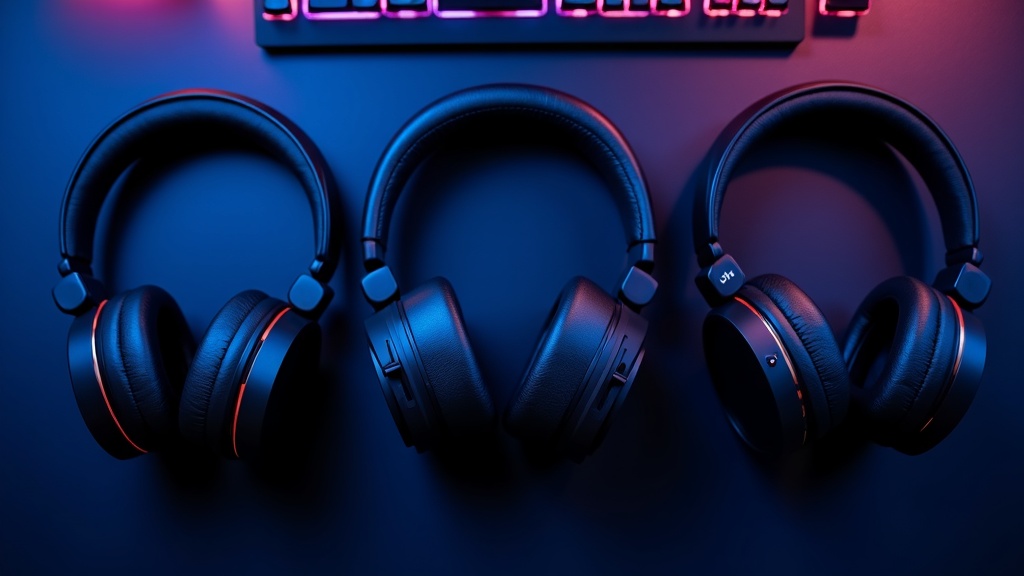
Bottom Line: Quick-Reference Guide to Gaming Headsets by Use Case
“So which one should I actually buy?” — Let’s answer that question upfront. The fastest way to narrow down a gaming headset is to filter by three axes: connection type, use case, and budget. Use the comparison table and use-case guide below to find the right model for your playstyle.
【Comparison Table】Price, Connection Type, Compatibility, and Mic Performance
| Model | Price | Connection | Battery | Mic | Best For |
|---|---|---|---|---|---|
| HyperX Cloud Alpha | ~$52 | Wired (3.5mm) | — | Detachable noise-canceling mic | Budget / Entry-level |
| Razer Kraken V3 HyperSense | ~$100 | Wired (USB) | — | Hyperclear Cardioid | Immersion-focused / Mid-range |
| Razer BlackShark V2 Pro | ~$160 | 2.4GHz Wireless | Up to 70 hrs | Super Wideband | FPS / Long sessions |
| Logitech G PRO X 2 LIGHTSPEED | ~$220 | 2.4GHz / BT5.3 / Wired | Up to 50 hrs | Blue VOiCE compatible | Pro-level / Multi-device |
| Sony INZONE H9 II | ~$250 | 2.4GHz / Bluetooth | ~30 hrs | Detachable | ANC-focused / PS5 + PC |
Note on pricing: Prices listed are reference values as of March 2026. Actual prices vary by retailer and may change over time. Please check the latest pricing on each manufacturer’s official website or product listing.
Connection Type Breakdown: Wired vs. Wireless vs. USB-C
Choosing a connection type is a trade-off between latency, freedom of movement, and audio quality. Wired connections transmit an analog signal directly, resulting in near-zero latency — no power required, and you’re ready to go instantly. On the other hand, 2.4GHz wireless uses a dedicated receiver (not standard Bluetooth), cutting latency down to around 1ms. That’s well within acceptable range even for competitive FPS and fighting games.
- Wired models (HyperX Cloud Alpha, Razer Kraken V3 HyperSense): No battery to worry about, and broad compatibility with both PC and consoles. Ideal for desk-based setups.
- 2.4GHz wireless (Razer BlackShark V2 Pro, Logitech G PRO X 2 LIGHTSPEED): Best of both worlds — low latency and long battery life. Widely used in competitive settings and the top pick when you want freedom of movement without sacrificing performance.
- Multi-connection models (Logitech G PRO X 2 LIGHTSPEED, Sony INZONE H9 II): Great for users who want to switch between PC, smartphone, and console on a single headset. Models with Bluetooth 5.3 also double nicely for music and video calls.
- ANC models (Sony INZONE H9 II): Worth considering if you game in noisy environments like cafes, or need to double as a work headset for video calls. It uses the same 30mm driver as the WH-1000XM6, so music listening quality is solid too.
Buying tip: In FPS titles like CS2 and Valorant, directional audio — footsteps, gunshots, door sounds — can make or break a match. Prioritize models with wide frequency response. For RPGs or streaming, focus more on mic quality and ANC performance for better overall satisfaction.

How to Choose a Gaming Headset: 5 Key Checkpoints
“I bought a cheap headset and the audio was noticeably delayed during gameplay.” “My teammates said they couldn’t hear me clearly because of my mic.” Sound familiar? Gaming headsets range from around $20 to $300+, and without knowing how to read the specs, it’s easy to end up with something that doesn’t fit your needs. Run through these five criteria and your options will narrow down naturally.
Connection Type (Wired / 2.4GHz Wireless / Bluetooth): Latency Explained
Connection type is the single most important factor for in-game comfort. Wired connections (3.5mm analog) transmit the signal directly with virtually zero latency — the most reliable choice for competitive play. USB wired connections are similarly low-latency since they use a digital signal. Bluetooth, by contrast, is a general-purpose standard that introduces buffer processing to sync audio with video, which can result in anywhere from tens to hundreds of milliseconds of delay.
Dedicated 2.4GHz wireless (like Logitech LIGHTSPEED and Razer’s ultra-low-latency connection) uses proprietary protocols rather than standard Bluetooth, bringing latency close to wired levels. For FPS and fighting games, stick to wired or dedicated 2.4GHz wireless.
| Connection Type | Latency | Primary Use | Examples |
|---|---|---|---|
| Wired (3.5mm / USB) | Near zero | Competitive FPS / Budget | HyperX Cloud Alpha |
| 2.4GHz dedicated wireless | Extremely low | Competitive to casual | Logitech G PRO X 2, Razer BlackShark V2 Pro |
| Bluetooth | 10ms+ | PC work / Music / Multi-device | Sony INZONE H9 II (dual connection) |
Models like the Sony INZONE H9 II that support simultaneous 2.4GHz and Bluetooth connections let you maintain a low-latency game connection while still receiving phone call notifications via Bluetooth — a genuinely useful multi-tasking setup.
Driver Size and Soundstage: How to Tell FPS vs. Music-Oriented Headsets Apart
The driver (diaphragm) is the core component that produces sound. Generally speaking, a larger driver offers better bass reproduction and a wider soundstage. Most gaming headsets use 40–50mm drivers; the Logitech G PRO X 2 and Razer Kraken V3 HyperSense both go with 50mm.
In FPS games, what matters most is positional accuracy — footsteps, reloads, doors opening. That favors drivers with a flat frequency response across a wide range. The Sony INZONE H9 II uses a smaller 30mm driver (the same spec as the WH-1000XM6), but Sony compensates through careful acoustic tuning. Don’t judge audio quality by driver size alone — look at the manufacturer’s overall tuning philosophy as well.
FPS-oriented: Prioritize positional accuracy and high-frequency detail. Models with flat frequency response have the edge.
Music / movie-oriented: Prioritize rich bass and a wide soundstage. Models with a V-shaped sound signature tend to work well here.
Mic Pickup Pattern (Cardioid vs. Omnidirectional) and How Noise Canceling Works
A microphone’s “polar pattern” describes which directions it picks up sound from. A cardioid (unidirectional) mic selectively captures audio from directly in front, physically blocking noise from behind and the sides. The Hyperclear Cardioid mic on the Razer Kraken V3 HyperSense and the next-gen Super Wideband mic on the Razer BlackShark V2 Pro both use this design, making them resistant to keyboard clicks and ambient noise.
Omnidirectional mics capture sound equally from all directions — useful for group calls or wide-area pickup scenarios — but they tend to pick up too much environmental noise for online gaming. For team-based play, cardioid is the safe default.
Active Noise Cancellation (ANC) works by continuously sampling ambient sound with a built-in mic, then generating an inverse sound wave to cancel it out in real time. The Sony INZONE H9 II includes ANC, but keep in mind that the noise-canceling processing draws extra power — battery life will vary noticeably depending on whether ANC is on or off.
Comfort, Weight, and Ear Pad Material: What Actually Causes Fatigue in Long Sessions
For sessions lasting three to four hours or more, headset weight and ear pad material directly affect your ability to stay focused. The Sony INZONE H9 II weighs approximately 260g (without mic) — typical for a wireless headset with ANC.
Ear pad material generally falls into two categories:
- Fabric (cloth): Highly breathable, reducing heat buildup during extended wear. The downside is that fabric absorbs sweat and dirt more easily and will eventually need washing or replacement. The Razer Kraken V3 HyperSense uses a hybrid fabric/leatherette design.
- Leatherette (synthetic leather): Better passive isolation due to a tighter seal. Feels great when you first put it on, but tends to get sweaty in warmer conditions.
Headband cushioning and clamping force also play a role in long-term comfort. Trying on a headset in person is the most reliable approach, but if that’s not an option, watch review videos that show how the headset fits, or choose a model that has replacement ear pads available — it’ll give you more flexibility over the long run.
Platform Compatibility: PC, PS5, Xbox, and Switch Support at a Glance
Nothing’s worse than buying a headset only to find it doesn’t work with your console. Always verify platform compatibility before purchasing. USB headsets in particular can run into compatibility issues with consoles, while 3.5mm wired models work through the controller jack on most platforms — though surround sound features may be limited.
| Product | PC | PS5 | Xbox | Switch | Connection |
|---|---|---|---|---|---|
| HyperX Cloud Alpha | ✓ | ✓ | ✓ | ✓ | 3.5mm wired |
| Razer Kraken V3 HyperSense | ✓ | △* | △* | ✕ | USB wired |
| Logitech G PRO X 2 LIGHTSPEED | ✓ | ✓ | ✓ | ✓ | 2.4GHz / BT / 3.5mm |
| Razer BlackShark V2 Pro | ✓ | ✓ | △* | ✕ | 2.4GHz / USB-C |
| Sony INZONE H9 II | ✓ | ✓ | △* | △* | 2.4GHz / BT |
* Some features may be limited. Check the manufacturer’s official website for the latest compatibility details.
If you game across multiple platforms, a model that combines 3.5mm wired, 2.4GHz, and Bluetooth gives you the most flexibility. On the other hand, if you’re PC-only, a USB-connected headset with software EQ support offers strong value for the price.
Technical Deep Dive: Gaming Headset Audio Architecture
Now that you know what to look for in a gaming headset, let’s dig into the technical side — specifically, why certain specs affect sound quality and latency. Being able to read a spec sheet accurately makes all the difference when comparing products.
Dynamic vs. Planar Magnetic Drivers: Structure and Sound Characteristics
Gaming headset drivers fall into two main categories: dynamic drivers and planar magnetic drivers. The vast majority of consumer headsets use dynamic drivers, which work by using electromagnetic force from a magnet and voice coil to push a diaphragm back and forth, generating sound waves.
Planar magnetic drivers, on the other hand, run a uniform current across an entire thin film membrane to produce vibration. Because the whole surface moves simultaneously, distortion is minimized and the design tends to reproduce sound with higher resolution. However, the more complex construction drives up manufacturing costs, making planar magnetic drivers far more common in audiophile headphones than gaming headsets.
Driver Type Comparison
| Type | Structure | Sound Character | Gaming Adoption Rate |
|---|---|---|---|
| Dynamic | Voice coil + magnet | Punchy bass, highly versatile | Very high |
| Planar Magnetic | Full-surface thin-film current | Low distortion, high resolution | Low (cost-prohibitive) |
The Razer BlackShark V2 Pro’s “tri-band driver design” is a notable evolution of the dynamic driver concept. By dedicating separate vibration zones to low, mid, and high frequencies, it aims to reduce inter-band interference that a single driver struggles to avoid — delivering cleaner simultaneous reproduction of FPS footsteps (200–800 Hz) and gunshots (2 kHz and above).
Virtual Surround (7.1ch) vs. Dolby Atmos and DTS:X: How the Processing Works
“7.1ch surround support” and “Dolby Atmos support” are often confused, but they’re fundamentally different technologies. Here’s how each works under the hood.
Virtual surround (7.1ch) applies DSP (digital signal processing) to a standard stereo pair of drivers, using Head-Related Transfer Functions (HRTFs) to trick the brain into perceiving sound as coming from all directions. No additional physical speakers are involved — the spatial effect is entirely created through signal processing.
Processing Flow Comparison
- 7.1ch Virtual: Game audio → DSP (HRTF applied) → 2ch stereo output → drivers
- Dolby Atmos: Object-based audio data → Dolby processing engine → rendering → output
- DTS:X: DTS proprietary object-based processing → headphone rendering → output
What sets Dolby Atmos and DTS:X apart from traditional 7.1ch is their object-based approach. Instead of assigning audio to fixed channels, sound is treated as discrete 3D points in space — which means vertical positioning (like sounds from above) can actually be rendered. In FPS games, this can make a real difference when tracking enemies on a rooftop or anticipating an ambush from overhead.
That said, the real-world benefit depends heavily on whether the game itself supports object-based audio. For titles that do, Dolby Atmos and DTS:X can provide a clear advantage. For those that don’t, the difference compared to standard virtual 7.1ch will be minimal.
Why 2.4 GHz Wireless Beats Bluetooth for Latency: The Case for Dedicated Protocols
The assumption that “wireless means laggy” is outdated for products released in 2024 and beyond. With 2.4 GHz dedicated receiver systems in particular, latency has reached a point where it’s practically negligible for gaming.
The reason comes down to protocol design. Bluetooth is a general-purpose standard built to connect a wide range of devices — smartphones, earbuds, keyboards, and more. That flexibility comes at a cost: the connection handshake process is complex, and packetizing audio data for transmission introduces inherent latency.
Key Reasons 2.4 GHz Dedicated Wireless Achieves Low Latency
- Uses a proprietary protocol optimized exclusively for one-to-one communication with a dedicated USB dongle
- Skips the overhead of general-purpose pairing negotiation
- Automatically selects less congested channels via frequency hopping
- Audio compression can be tuned to prioritize low latency over file size
Logitech’s LIGHTSPEED technology and Razer’s 2.4 GHz ultra-low-latency connection both take this dedicated protocol approach. Bluetooth, by contrast, sees latency vary significantly by codec (SBC, AAC, aptX, etc.) and introduces unpredictable variables for gaming. For competitive play, 2.4 GHz wireless is the reliable default choice.
How AI Noise-Canceling Microphones Work — and Where They Fall Short
The AI noise-canceling microphones found in modern gaming headsets work very differently from traditional hardware filters. Older designs used static filtering — cutting specific frequency bands. AI-based systems use neural networks to distinguish human voice from environmental noise in real time.
The processing model works by splitting the microphone input into short frames (measured in tens of milliseconds), then running each frame through a trained model that classifies its components. Only data identified as matching the frequency patterns of human speech is passed through; everything else is suppressed.
Real-World Limitations of AI Noise-Canceling Microphones
- Struggles with voice-like sounds: TV dialogue or nearby conversations share frequency characteristics with human speech, making them hard to classify as noise
- Introduces processing latency: Frame splitting and inference can add a few to several dozen milliseconds of delay
- Limited effectiveness on unfamiliar noise types: Unusual sounds outside the model’s training data (certain mechanical noises, for example) may not be filtered effectively
- On-device processing is chip-dependent: Headsets that process audio locally are directly limited by their onboard chip performance
The Sony INZONE H9 II uses the same 30mm driver as the WH-1000XM6, essentially bringing Sony’s consumer-grade noise-canceling expertise into a gaming context. Keep in mind, though, that noise cancellation relies on both passive isolation (the physical seal of the ear cups) and active processing (ANC). How well the headset fits your ears will directly affect how much noise cancellation you actually experience.
Treating AI noise cancellation as a silver bullet will lead to disappointment depending on your environment. Think of it as a tool for reducing consistent background noise — keyboard clatter, HVAC hum, that kind of thing — and toggle it on and off based on your situation. That’s the most practical way to get the most out of it.
Best Budget Gaming Headsets Under $150: Top Value Picks
If you want a serious gaming headset but aren’t ready to drop $300 right away, you’re not alone. The sub-$150 price range offers solid entry-level options that make a lot of sense as your first real investment. The key is understanding what you’re giving up — and what you’re not — at this price point.
What to look for in this price range
Most headsets in this range are wired. Implementing low-latency wireless (2.4GHz) adds significant cost, so you’ll almost exclusively find wired options here. Think of it as a trade-off: you deal with cable management, but you get stable audio quality and a reliable connection.
HyperX Cloud Alpha Review: The Dual Chamber Driver Difference
The HyperX Cloud Alpha has been around since 2017, and as of 2026, it’s still widely available at around $55–65. Its staying power comes down to one thing: the dual chamber driver design.
Standard headset drivers push bass, mids, and highs through a single shared chamber. The Cloud Alpha physically separates the low-frequency chamber from the mid/high-frequency chamber. This prevents bass resonance from muddying the clarity of mids and highs — a mechanical approach to controlling acoustic interference rather than relying on software correction.
HyperX Cloud Alpha — Quick Verdict
- ✅ Dual chamber drivers deliver clean, well-separated sound
- ✅ Detachable noise-canceling microphone
- ✅ Braided cable with inline audio controls
- ⚠️ 2017 design — no spatial audio processing or DSP features
- ⚠️ Wired only, minimal software ecosystem
For FPS players who need to pinpoint footsteps, accurate mid/high reproduction matters more than positioning effects. Because the Cloud Alpha relies on physical acoustics rather than software correction, it just works — plug it in on PC or console and you’re set. That said, if you’re expecting modern features like spatial audio or 3D sound processing, the age of this design will show.
If you prioritize sound quality for the price, check the latest pricing and full specs for the HyperX Cloud Alpha below.
HyperX Cloud Alpha の実売価格や詳細スペックが気になる方は、ぜひ最新の価格・在庫状況を確認してみてください。
Razer Kraken V3 HyperSense Review: Haptic Feedback for a New Level of Immersion
The Razer Kraken V3 HyperSense sits at the top of this price range at around $100–110. Its standout feature is HyperSense haptic feedback — the ear cups physically vibrate in response to explosions and bass-heavy audio, so you’re literally feeling the sound, not just hearing it.
On the audio side, it uses Triforce Titanium 50mm drivers split into three sections, each tuned to optimize bass, midrange, and treble reproduction separately. It also supports THX Spatial Audio for software-based 7.1 surround sound, helping games render a more convincing three-dimensional soundstage.
Razer Kraken V3 HyperSense — Quick Verdict
- ✅ HyperSense haptic feedback adds a physical layer of immersion
- ✅ THX Spatial Audio support (software-based surround)
- ✅ Hyperclear Cardioid mic for clear voice pickup
- ✅ Hybrid memory foam cushions for extended wear comfort
- ⚠️ USB-only — limited compatibility with consoles
- ⚠️ HyperSense requires Razer Synapse software to function
Haptic feedback is a polarizing feature. In action games and racing titles, it can seriously crank up immersion — but some users find prolonged vibration fatiguing over long sessions. Fortunately, Razer Synapse lets you dial in the intensity, so you can tune it to your preference.
| Feature | HyperX Cloud Alpha | Razer Kraken V3 HyperSense |
|---|---|---|
| Street Price | ~$55–65 | ~$100–110 |
| Connection | 3.5mm wired | USB wired |
| Driver Design | Dual chamber | Triforce 3-way split |
| Spatial Audio | None | THX Spatial Audio |
| Haptic Feedback | None | HyperSense |
| Console Compatibility | Excellent (universal 3.5mm) | Limited (USB only) |
| Best For | Clean audio, PC & console versatility | PC-focused users who want maximum immersion |
These two headsets represent opposite philosophies. The Cloud Alpha is about stripping things down to pure, reliable audio. The Kraken V3 HyperSense is about expanding the experience through features — and that difference is reflected in the price gap. If your budget allows and you’re gaming primarily on PC, the Kraken V3 HyperSense opens up a noticeably richer experience. If you split time between PC and console, or just want a dependable audio foundation first, the Cloud Alpha is the safer, more versatile pick. Check each manufacturer’s site for current pricing and availability.

Want to experience haptic feedback for yourself? Check the latest pricing and availability for the Razer Kraken V3 HyperSense below.
触覚フィードバック機能が気になる方は、実際の価格や在庫状況をぜひ確認してみてください。装着感や振動の強度調整など、スペック表だけではわかりにくい詳細も公式ページでチェックできます。
Mid-Range Gaming Headsets We Recommend ($200–$300 Range)
Have you ever felt that your entry-level headset just doesn’t give you quite enough audio detail — or that you really want to cut the cord and go wireless? The mid-range tier is designed exactly to address those frustrations.
At this price point, it’s not just about hearing sounds — it’s about precisely pinpointing where those sounds are coming from. The difference in positional audio is night and day. Whether you’re tracking footsteps in an FPS or sorting through layers of sound effects in an MMO, you’ll feel the upgrade immediately.
4 Products Compared in This Section
Logicool G PRO X 2 LIGHTSPEED / Razer BlackShark V2 Pro (Upgraded Model) / Sony INZONE H9 II / Corsair HS80 RGB Wireless
Logicool G PRO X 2 LIGHTSPEED Review: The Wireless Headset Pros Actually Use
This is the flagship wireless model in the long-trusted G PRO lineup — a staple of the esports scene. Priced at ¥34,650 (as of March 2026), its popularity among pro players isn’t just brand recognition — it’s backed by genuine engineering decisions.
The standout feature is the PRO-G graphene driver (50mm). Compared to standard mylar film diaphragms, graphene is lighter and more rigid, which reduces high-frequency distortion and reproduces fine audio details with greater accuracy. That “studio monitor-like precision” you’ll often hear reviewers mention? It comes down to this driver.
Connectivity includes LIGHTSPEED (2.4GHz) and Bluetooth 5.3 dual support. Battery life maxes out at 50 hours, so even marathon weekend sessions won’t leave you scrambling for a charger. It also supports 3.5mm wired connection, making it versatile regardless of your setup.
| Spec | Details |
|---|---|
| Price | ¥34,650 |
| Driver | PRO-G Graphene 50mm |
| Connectivity | LIGHTSPEED 2.4GHz / Bluetooth 5.3 / 3.5mm wired |
| Battery | Up to 50 hours |
| Release Date | July 20, 2023 |
- High-resolution audio thanks to the graphene driver
- Three connectivity options for versatile use
- 50-hour battery life for extended sessions
- Proven track record in competitive esports
- Price sits toward the higher end of this range
- No active noise cancellation (ANC)
- Microphone quality is average for the price tier
Best for: Competitive FPS and battle royale players who prioritize sound positioning above all else. Also a great fit for long streaming sessions or LAN events where you can’t afford to run out of battery.
For the latest pricing and full specs on the Logicool G PRO X 2 LIGHTSPEED — one of the most pro-adopted headsets on the market — check the official site or your preferred retailer.
実際の販売価格や在庫状況はショップによって異なるため、気になる方はLogitech G PRO X 2 LIGHTSPEEDの最新価格を確認してみてください。ワイヤレスでありながらプロ仕様の音質を求めるなら、スペック詳細もあわせてチェックする価値があります。
Razer BlackShark V2 Pro Review: THX-Certified Positional Accuracy
The upgraded model comes in at ¥25,486. At this price point, a 70-hour battery life is genuinely industry-leading.
The real story here is the tri-driver design, split across three frequency bands. A typical single-driver headset tries to reproduce lows, mids, and highs all from one diaphragm — and something always has to give. The BlackShark V2 Pro handles each range separately, so when footsteps (mid-to-high frequencies) and explosions (low frequencies) happen at the same time, they don’t bleed into each other. If you’ve ever had footsteps drowned out by an explosion in an FPS, this headset is a direct answer to that problem.
It connects via 2.4GHz wireless for ultra-low latency. FPS-optimized onboard audio profiles are built right in, so you can dial in the ideal soundstage without any PC software. Charges via USB-C.
| Spec | Details |
|---|---|
| Price | ¥25,486 (Upgraded Model) |
| Driver | Tri-band frequency split design |
| Connectivity | 2.4GHz Wireless |
| Battery | Up to 70 hours |
| Release Date | June 16, 2023 (Upgraded Model) |
- Industry-leading 70-hour battery
- Exceptional positional audio for FPS games
- Onboard profiles work without any software
- USB-C charging
- No active noise cancellation (ANC)
- No Bluetooth support
- Bass can feel a bit restrained
Best for: FPS and TPS players who want to minimize how often they charge. This is one of the few headsets that can genuinely get you through a full week on a single charge.
If you’re curious about the BlackShark V2 Pro’s HyperSpeed wireless connection or 360° spatial audio, check the latest pricing and full specs at your favorite retailer.
Razer BlackShark V2 ProのスペックやAmazonでの最新価格は、公式ページで詳しく確認できます。ワイヤレス環境でのゲームプレイを本格的に検討している場合は、ぜひチェックしてみてください。
Sony INZONE H9 II Review: PS5 Integration and Real ANC Performance
Priced at ¥39,600, this is the most expensive option in this section — but the technology packed inside justifies the cost.
The headline feature is that it uses the same 30mm driver as the WH-1000XM6. The WH-1000XM6 sits at the top of Sony’s consumer noise-canceling lineup, and bringing that acoustic engineering over to a gaming headset makes a lot of sense. The reason so many users say “I can actually use this for music too” starts right here.
Active Noise Cancellation (ANC) is on board, letting you block out ambient noise and stay locked in. The headset weighs approximately 260g (without mic). Battery tops out at 30 hours, with quick charging that gives you 60 minutes of use from just 10 minutes of charging — practical for real-world use. Dual connectivity via 2.4GHz wireless and Bluetooth.
| Spec | Details |
|---|---|
| Price | ¥39,600 |
| Driver | 30mm (same spec as WH-1000XM6) |
| Weight | Approx. 260g (without mic) |
| Connectivity | 2.4GHz Wireless / Bluetooth |
| Battery | Up to 30 hours (Quick charge: 10 min → 60 min) |
| Release Date | September 5, 2025 |
- Consumer-grade audio quality from a top-tier driver
- Solid, practical ANC performance
- Deep PS5 integration features
- Quick charge support
- Approaching the $300 mark in price
- 30-hour battery is shorter than competing models
- Microphone is optimized for gaming, not professional use
Best for: PS5-primary players who want one headset for gaming, music, and video. Also a great pick if you want to seamlessly switch between background music during remote work and gaming sessions.
If you’re interested in a high-end headset that delivers both noise cancellation and audio quality, check the current price and full specs before buying.
Sony INZONE H9 IIの最新価格や詳細スペックが気になる方は、ぜひ公式ページで確認してみてください。ノイズキャンセリングの性能や対応デバイスの幅広さは、実際のレビューと合わせてチェックする価値があります。
Corsair HS80 RGB Wireless Review: Dolby Atmos and 3D Soundscapes
This is Corsair’s flagship mid-range model. Its key differentiator is Dolby Atmos support (for PC and Xbox), which adds height information to the mix for a truly three-dimensional soundstage.
Dolby Atmos isn’t just “louder surround sound” — it processes the actual position of audio sources in 3D space, including up, down, front, back, and sides. This really shines in immersive adventure and RPG titles where cinematic audio design matters. That said, if pure competitive FPS precision is your priority, this headset is aimed at a different kind of experience than the tournament-focused options above.
Specific specs like pricing and battery life can change over time, so check the official site for the latest details before purchasing.
- PC or Xbox users who want to take full advantage of Dolby Atmos
- Players who primarily enjoy RPGs, adventure games, or horror titles
- Anyone already in the Corsair iCUE ecosystem who wants unified peripheral management
The Corsair HS80 RGB Wireless is well-regarded for staying comfortable even during long sessions — check the product page for the current price and detailed specs.
Corsair HS80 RGB Wirelessの最新価格や詳細スペックが気になる方は、ぜひ公式ページで確認してみてください。ワイヤレスながら最大65時間のバッテリー持続と低遅延接続を両立しており、長時間セッションを前提としたゲーマーに特に刺さるモデルといえます。
Mid-Range Comparison: All 4 Products at a Glance
| Model | Price | Battery | ANC | Best Use Case |
|---|---|---|---|---|
| G PRO X 2 LIGHTSPEED | ¥34,650 | 50 hours | No | FPS / Competitive / Long sessions |
| BlackShark V2 Pro | ¥25,486 | 70 hours | No | FPS / Minimal charging |
| INZONE H9 II | ¥39,600 | 30 hours | Yes | PS5 / Multi-use / Quiet environments |
| HS80 RGB Wireless | Check official site | Check official site | No | Dolby Atmos / Immersive gaming |
If competitive FPS is your priority, the BlackShark V2 Pro or G PRO X 2 LIGHTSPEED are the logical picks for their positional accuracy. If you want to get the most out of your PS5 experience, the INZONE H9 II is the clear choice. Match your budget and setup to the right model, and be sure to check each product’s official page for the latest details.
【$400+】High-End Gaming Headsets Worth the Investment
Once mid-range headsets start feeling limiting, the high-end tier comes into view. Products in this price range go beyond simple audio quality improvements — they pack features that fundamentally change your workflow: seamlessly switching between multiple platforms, eliminating battery anxiety entirely, and syncing your spatial soundstage to your head movements. For users who run long gaming sessions or stream and create content at a near-professional level, the price premium translates into a clear return on investment.
SteelSeries Arctis Nova Pro Wireless Review: Dual Battery Hot-Swap and Multi-System Connectivity
The Arctis Nova Pro Wireless shatters the long-held assumption that “running out of battery is the biggest weakness of wireless headsets.” Its hot-swap dual battery system instantly switches to the charging battery the moment the active one dies, so you’ll never have to pause a long session to recharge. The ability to simply swap batteries and keep going makes this headset a reliable choice for competitive play and marathon streams alike.
On the connectivity side, the dedicated base station lets you simultaneously connect to a PC and PS5 (or PS4) and manage game audio and voice chat independently. Being able to balance voice chat levels directly on the hardware — without digging through software settings — is a genuinely practical advantage for streamers and pro players who don’t want to break their flow. ANC (Active Noise Cancellation) is also built in, making it a solid option for playing in offices or noisy environments.
CHECK: Who is this for?
- Anyone who wants to use one headset for both PC and PS5
- Players who don’t want to think about battery life during long sessions
- Gamers who want to block out environmental noise with ANC and stay focused
On the flip side, the base station is a required part of the setup, so you’ll need a decent amount of desk space. This headset is not designed for portability or mobile use. For current pricing and full specs, check the official SteelSeries website.
If you refuse to compromise on audio quality, connection stability, or battery management, be sure to check the latest pricing and detailed specs for yourself.
SteelSeries Arctis Nova Pro Wirelessの最新価格や詳細スペックが気になる方は、ぜひ公式ページで確認してみてください。マルチシステム対応とアクティブノイズキャンセリングの実力を、実際の仕様と合わせてチェックできます。
ASTRO A50 X Review: Groundbreaking Multi-Platform Design with Built-In HDMI Switching
The defining feature of the ASTRO A50 X is its base station with built-in HDMI input and output, letting you centralize video and audio management for PS5, Xbox Series X, and PC in a single unit. While traditional gaming headsets handle audio only, the A50 X doubles as an HDMI selector, dramatically simplifying your monitor connection setup. For heavy gamers who own multiple consoles, it’s a genuinely practical solution to the cable management headache.
On the audio side, it supports Dolby Audio with genre-specific presets managed directly from the base station. The 2.4GHz wireless connection avoids the latency issues associated with Bluetooth while maintaining high audio quality.
Downsides to Keep in Mind
The base station is fairly bulky and requires a dedicated spot on your desk. To get the most out of the HDMI connectivity, you’ll need to plan out how your monitor setup is wired. The unit itself is on the pricier end even within the high-end tier, so the value proposition really depends on your use case. For full specs and current pricing, visit the official ASTRO Gaming website.
If you’re curious about the latest pricing and full specs for the ASTRO A50 X, it’s worth checking the official site or major retailers. The low-latency, high-quality wireless audio it delivers makes it a strong contender worth comparing against its price tag.
ASTRO A50 Xの最新価格や在庫状況が気になる方は、ぜひ公式ページで詳細を確認してみてください。ワイヤレスながら有線並みの低遅延を実現した設計は、実際のスペックを見ると納得感があるはずです。
JBL Quantum 910 Wireless Review: Head-Tracking Spatial Audio That Follows Your Movement
The head-tracking technology in the JBL Quantum 910 Wireless uses sensors to detect head movement and dynamically adjust the soundstage in real time, creating the effect of sound sources being fixed in space rather than locked to your headset. Standard virtual surround sound anchors the audio to your head — head-tracking anchors it to the room. In FPS games, enemy footsteps appear to come from the direction you’re physically facing, dramatically increasing immersion.
Combined with JBL QuantumSPHERE 360 spatial audio processing, vertical sound localization is also improved. This makes it particularly well-suited for Battle Royale titles where you need to distinguish sounds from above and below, and tactical FPS games where floor levels matter.
Where Head-Tracking Shines
- FPS / TPS: Better positional accuracy for footsteps and gunshots in all directions
- Flight sims & racing games: Natural spatial reproduction of cockpit audio
- Horror games: Dramatically heightened immersion through precise sound source tracking
That said, getting the most out of head-tracking requires dedicated software configuration on PC — functionality may be limited when used with consoles alone. Check the official JBL website for the latest firmware updates and supported platform details.
| Model | Key Differentiator | Best Use Case | Caveats |
|---|---|---|---|
| Arctis Nova Pro Wireless | Dual battery hot-swap, ANC | Long sessions, streaming | Requires desk space for base station |
| ASTRO A50 X | Built-in HDMI multi-platform management | Heavy gamers with multiple consoles | Large footprint, premium price |
| JBL Quantum 910 Wireless | Head-tracking spatial audio | FPS, immersion-focused PC gaming | Requires PC software; limited on consoles |
If you want wireless audio without worrying about latency, check out the latest pricing and full specs for the JBL Quantum 910 Wireless.
JBL Quantum 910 Wirelessの最新価格や詳細スペックが気になる方は、ぜひ公式ページで確認してみてください。送料無料で購入できる場合もあるため、予算と照らし合わせながらチェックする価値は十分あります。
How to Choose by Use Case: Best Picks for Every Scenario
Now that you have a sense of high-end model performance and pricing, the next key question is: “Which headset actually fits my playstyle and use case?” Even two headsets in the same $200–$300 price range can have fundamentally different designs — one optimized for competitive FPS play, another built with streaming and remote work in mind. Buying the wrong one for your needs will leave you unsatisfied, no matter how much you spent.
FPS & Competitive Gaming: Prioritizing Positional Audio and Low Latency
In FPS games, what often determines the outcome is your ability to instantly pinpoint enemy footsteps and gunshots — what’s called “positional audio accuracy.” The human ear is naturally good at horizontal sound localization, but headset design plays a massive role in how accurately that translates in-game.
3 Key Things to Check for FPS Gaming
- Frequency Range: Footsteps sit primarily in the low-to-mid range (around 100Hz–2kHz). You want a driver design that reproduces this range with clarity.
- Connection Latency: 2.4GHz wireless models offer near-wired ultra-low latency. Bluetooth is fine for casual listening, but in competitive play, even small delays can matter.
- Seal and Passive Isolation: Physically blocking out external noise helps you pick up subtle in-game audio cues more easily.
The Razer BlackShark V2 Pro (upgraded model) uses a triforce driver design that splits the driver into three independent sections — low, mid, and high — each optimized separately. It also features 2.4GHz ultra-low latency wireless and up to 70 hours of battery life, making it well-suited for marathon competitive sessions. On-board FPS audio profiles mean even users unfamiliar with PC audio settings can dial in a competitive sound signature instantly.
Streaming & Voice Chat: Why Mic Quality and Monitoring Matter
For streamers and players who rely heavily on voice chat, microphone performance is just as important — if not more so — than the headphone drivers. The audio quality your viewers or teammates hear directly shapes their experience of your content or conversation.
What to Look for in Streaming & Voice Chat Headsets
- Cardioid Directional Mic: Focuses on sound coming from the front (your voice) while reducing background noise like keyboard clicks and fan noise.
- Sidetone (Voice Monitoring): Feeds your own voice back into the headset in real time. Without it, you can’t hear yourself and tend to talk louder than necessary without realizing it.
- Software EQ Support: Models with software-adjustable mic EQ let you handle more processing at the hardware level, reducing the workload on your streaming software.
The Hyperclear Cardioid microphone on the Razer Kraken V3 HyperSense uses a tightly focused cardioid pattern to minimize bleed from game audio and ambient sounds. The haptic feedback feature (HyperSense) adds vibration in sync with explosions and low-frequency audio, offering a unique, non-verbal way to convey immersion to your stream viewers.
Long Sessions & Remote Work: What to Know About Weight and Battery Life
If you’re wearing a headset for four to six or more hours a day, weight and comfort directly affect how fatigued you feel. Generally speaking, headsets over 250g tend to cause noticeable pressure on the head during extended wear — something worth paying close attention to if you’re using the same headset for both gaming and remote work.
STEP 1
STEP 2
STEP 3
The Sony INZONE H9 II supports quick charging — just 10 minutes gives you around 60 minutes of use. That’s a real lifesaver when your battery is low right before an unexpected meeting. Its active noise cancellation also makes it a practical choice beyond gaming, letting you block out distractions at a café or shared workspace. It’s a genuinely versatile device.
The right order of operations is to clarify your use case first, then match it against product specs. Start by thinking concretely about your play environment and how many hours a day you’ll be wearing it — then check the official product pages for the latest specs on any models that fit.

Using Your Gaming Headset as a Productivity Tool
It’s a shame to treat a gaming headset as strictly a gaming device. The combination of high-quality drivers, closed-back earcups, and a dedicated mic makes these headsets more than capable of handling remote work, streaming, and video editing. With the right software settings, you can unlock even more of their potential.
Windows Sonic, Dolby Access, and DTS Sound Unbound: A Practical Comparison
Windows integrates three spatial audio (virtual surround) solutions out of the box, and pairing any of them with a gaming headset can significantly expand the soundstage and improve positional clarity. Understanding how each one works and where it excels is the first step toward building an efficient audio workflow.
| Service | Cost | How It Works | Best For |
|---|---|---|---|
| Windows Sonic | Free (built into Windows) | Microsoft’s HRTF (head-related transfer function) based spatial processing. Included with Windows 10 and later. | Remote work and video calls. Minimal CPU overhead. |
| Dolby Atmos for Headphones | Partially paid (via Dolby Access app) | Object-based audio processing with strong vertical sound placement. | Monitoring during movie watching or video editing. Checking spatial audio in content. |
| DTS Sound Unbound | Partially paid | DTS:X algorithm with a wide range of game-optimized profiles. | Positional audio in FPS and action games. Streaming monitor mix. |
How to switch settings: Right-click the volume icon in the taskbar → “Sound settings” → Under your output device, select “Spatial sound.” Settings are saved per device, so your headset and external speakers can have independent configurations.
One important caveat: spatial audio processing works by virtually expanding a stereo signal. If the source audio is mono or low quality, the processing won’t do much. For video call audio during remote work, you may actually find that turning Windows Sonic off and using plain stereo output gives you cleaner, more intelligible speech. The key is flexibility — turn spatial audio on and off depending on what you’re doing.
Mic Settings in OBS, Discord, and Zoom: Combining a Noise Gate and Compressor
When it comes to improving mic quality, a noise gate and a compressor are two filters that work best together. The noise gate controls a threshold — whether sound passes through or gets cut off — while the compressor evens out the dynamic range of the audio that does pass through. Used together, they eliminate noise during silence and smooth out volume inconsistencies when you’re speaking.
Setting Up Filters in OBS Studio
- Apply Noise Suppression (RNNoise) first — AI-based noise removal that significantly reduces background sound.
- Add a Noise Gate — start with a close threshold around -32dB and an open threshold around -26dB, then tune from there.
- Add a Compressor — a ratio of 4:1 and a threshold of -18dB is a solid starting point.
- Use a Gain filter to fine-tune the final output volume.
Filter order directly affects the result. The standard best practice is to clean the signal with noise suppression first, then apply the gate and compressor — this minimizes audio degradation throughout the chain.
About Discord and Zoom’s built-in processing: In Discord, enabling “Advanced Voice Activity” under Voice & Video settings activates Krisp-based noise suppression. Zoom also offers background noise suppression in its audio settings. However, these are platform-side processing tools and don’t offer the fine-grained control you get from a full OBS filter chain. For streaming and recording, routing audio through OBS is the recommended workflow.
HyperX Cloud III Wireless for Remote Work: A Practical Setup Guide
The HyperX Cloud III Wireless connects via a 2.4GHz USB-A dongle and is designed with both gaming and work-from-home use in mind. For exact specs, check the official product page — but here’s how to get the most out of it in a real remote work workflow.
Practical Setup Tips for Remote Work
- Connection setup: Plug the USB-A dongle into your docking station and manage it through the same USB hub as your monitor — this keeps cable clutter to a minimum and lets you switch between setups without moving anything.
- Mic placement: Keep the included detachable mic about 4–6 inches from your mouth. That’s where the cardioid pickup pattern works most effectively.
- Software EQ: The HyperX NGENUITY app lets you customize the EQ. For video calls, try cutting the low end and boosting the mid-to-upper mids (1kHz–4kHz) to improve voice clarity.
- Spatial audio: Turn Windows Sonic OFF during video calls. Set up a separate profile with it ON for gaming or video content so you can switch quickly without digging through settings.
- Charging habit: Charge via USB-C outside work hours (e.g., overnight). This essentially eliminates the risk of running out of battery mid-workday.
One thing that often gets overlooked when using a gaming headset for work is centralized volume management. You’re dealing with three layers — OS volume, per-app volume, and the headset’s own physical volume knob — which makes accidental volume mismatches surprisingly common. During initial setup, always go into Windows’ Sound Mixer and align the output levels across all your apps. Don’t skip this step.
With a strong hardware foundation and the right software settings on top, a gaming headset can perform just as well as a dedicated professional audio device. Getting the most out of your investment comes down to layering good configuration on top of good hardware — that’s what turns a gaming peripheral into a genuinely versatile tool.
If you want to stay comfortable through long gaming sessions, check out the latest pricing and full specs for the HyperX Cloud III Wireless.
HyperX Cloud IIIワイヤレスの最新価格や詳細スペックが気になる方は、ぜひ公式ページで確認してみてください。セール時期によっては通常より1,000〜2,000円安く入手できる場合もあります。
Frequently Asked Questions (FAQ)
Using Headsets with PS5 and Nintendo Switch: Requirements and Caveats
“I bought it, but it wasn’t compatible” — this is one of the most common mistakes people make with gaming headsets. There are specific rules governing which connection types work with which platforms, and knowing them in advance can save you from a costly mistake.
Connecting to PS5: 3 Things to Check
- USB-A Dongle (2.4GHz): Any receiver that supports the PS5’s USB-A port should work without issues. The dongles for the Razer BlackShark V2 Pro and Logicool G PRO X 2 LIGHTSPEED have both been confirmed to work with PS5.
- USB-C Dongle: The PS5 has a USB-C port on the front, but always check the manufacturer’s official documentation to confirm compatibility before purchasing.
- 3.5mm Analog: The PS5’s DualSense controller has a headphone jack, so wired models are generally plug-and-play. Models like the HyperX Cloud Alpha connect this way without any issues.
Connecting to Nintendo Switch: Key Considerations
- TV Mode (Docked): The dock has USB ports, so some 2.4GHz dongle-based headsets may work — but this is not guaranteed across all models. Always verify official compatibility information before assuming it’ll work.
- Handheld Mode / Tabletop Mode: Your best options are connecting via the Switch’s 3.5mm jack or Bluetooth. The Logicool G PRO X 2 supports Bluetooth 5.3, making it a solid choice for handheld mode.
- Sony INZONE H9 II: Designed with PlayStation compatibility in mind, but check Sony’s official site for the latest information on Switch support.
In short, many headsets labeled “PC only” can still connect to a console controller via 3.5mm — but USB-dongle-only models tend to have limited Switch compatibility. Always check the manufacturer’s official list of supported platforms before buying.
Does Wired Sound Better Than Wireless? The Reality of Latency, Audio Quality, and Battery Life
The belief that “wired sounds better” used to be true — but the landscape has shifted significantly since the early 2020s. Let’s break down the differences from a technical standpoint.
| Category | Wired (3.5mm / USB) | Wireless (2.4GHz) |
|---|---|---|
| Audio Quality | Near-zero signal degradation | No practical difference with high-quality codecs |
| Latency | Essentially zero | Under a few ms on 2.4GHz (imperceptible) |
| Price Range | Wide range starting from ~$20 | Entry-level starts around $70+ |
| Battery Management | Not required | Requires charging (30–70 hrs depending on model) |
| Bluetooth Latency | — | ~Several tens of ms (may be an issue for FPS) |
The key distinction is between 2.4GHz and Bluetooth connections. A dedicated 2.4GHz dongle uses a proprietary protocol that delivers extremely low latency — so low that it’s rarely a concern even in competitive FPS play. Bluetooth, on the other hand, is more convenient but can introduce latency depending on the codec and connection conditions, making it less suitable for fast-paced, competitive gaming.
Choosing by Use Case
- FPS / Competitive Gaming: Wired or 2.4GHz wireless (avoid Bluetooth)
- RPG / Adventure / Casual Gaming: Bluetooth is perfectly fine
- Long Sessions: Check battery life carefully — the Razer BlackShark V2 Pro lasts up to 70 hours, while the Logicool G PRO X 2 offers up to 50 hours. The difference between models is significant.
- Work + Gaming Hybrid Use: A 3.5mm wired headset with a USB adapter offers flexible compatibility across multiple devices
When it comes to audio quality, driver design and frequency response characteristics matter far more than the connection type. The real question isn’t “wired vs. wireless sound quality” — it’s whether you’re willing to manage cables, and whether you can keep up with battery charging. That’s the practical deciding factor.
Final Verdict: The Best Gaming Headsets to Buy in 2026
We’ve compared specs, use cases, and price ranges throughout this article. Let’s wrap up with a clear answer to the question everyone’s really asking: which one should you actually buy? The more options there are, the harder it gets to decide — but once you lock in your budget and use case, the answer becomes simple.
Best Picks by Budget: 3 No-Brainer Choices
Before anything else, decide two things: wired or wireless, and your maximum budget. Once those are settled, the right model practically picks itself. Use the table below as your guide.
| Budget Range | Recommended Model | Best For | Current Price |
|---|---|---|---|
| Under $60 | HyperX Cloud Alpha | Wired, audio-focused, best value | ~$55 |
| $150–$200 | Razer BlackShark V2 Pro (Upgraded) | FPS, long sessions, wireless | ~$180 |
| $250+ | Sony INZONE H9 II | ANC essential, console + PC use | ~$280 |
If your budget is under $60, the HyperX Cloud Alpha remains a rock-solid choice. Released back in 2017, it still earns praise for its dual-chamber driver design, which delivers excellent sound separation. That said, if you need spatial audio or wireless functionality, it’s worth stretching your budget to a newer model.
If you want wireless and you game for long stretches, the Razer BlackShark V2 Pro (Upgraded) is the top pick. Its up to 70-hour battery life stands out even against the competition, and the 2.4GHz ultra-low-latency connection handles footstep detection in FPS titles with ease. The tri-split driver design — which separates low, mid, and high frequencies into distinct chambers — directly improves positional audio accuracy in competitive play.
If budget isn’t a concern, the Sony INZONE H9 II is the current gold standard. It uses the same 30mm driver found in the WH-1000XM6, delivering audio quality that’s genuinely exceptional for a gaming headset. At approximately 260g (without mic), it’s light enough for marathon sessions, and the 10-minute quick charge giving 60 minutes of use adds real-world convenience.
Not sure where the Logicool G PRO X 2 LIGHTSPEED fits in?
Priced around $240, this headset offers up to 50 hours of battery life, Bluetooth 5.3, and Logitech’s PRO-G graphene drivers — tuned specifically for competitive gaming. Compared to the Sony INZONE H9 II, the G PRO X 2 makes more sense if you don’t need ANC but want a pro-oriented sound signature. If the two overlap in your use case, pull up the spec sheets side by side on each manufacturer’s site to compare directly.
2026 Trends to Watch: Spatial Audio Goes Mainstream and USB-C Becomes the Standard
There are two major technology shifts shaping the gaming headset market in 2026 that are worth paying attention to.
The first is the mainstreaming of spatial audio. Technologies like THX Spatial Audio and Dolby Atmos were once exclusive to flagship models, but they’ve now made their way into mid-range options like the Razer Kraken V3 HyperSense (~$110). Spatial audio takes flat stereo sound and expands it into a full three-dimensional soundscape — including height and depth. For FPS players trying to pinpoint exactly which direction footsteps are coming from, the difference is real and meaningful.
The second is the shift to USB-C charging. Driven in part by EU regulations, the entire PC peripheral industry is moving to USB-C — and gaming headsets are no exception. The Razer BlackShark V2 Pro already supports USB-C charging, and it will effectively become the default for new releases going forward. When buying, check whether a model still uses micro-USB, as that could become a headache down the road.
3 Checkboxes for Any 2026 Gaming Headset Purchase
- Does it support spatial audio? (Also verify compatibility with your platform)
- Does it charge via USB-C? (Micro-USB models carry long-term risk)
- Does the wireless use 2.4GHz? (Bluetooth-only models are more prone to latency)
A gaming headset is always a balance between your environment, playstyle, and budget. Every model featured in this article has been vetted for its price range. Before pulling the trigger, check the latest stock availability and pricing at your preferred retailers and the manufacturer’s official site.

Comments